Source of Exchange Rate on Expensya
Please note that we refer to an application programming interface, API, to calculate the conversion rate on Expensya. This API, called Open Exchange Rates provides live and historical exchange rates.
Data is algorithmically tracked and combined from multiple trusted sources, ensuring fair and unbiased consistency.
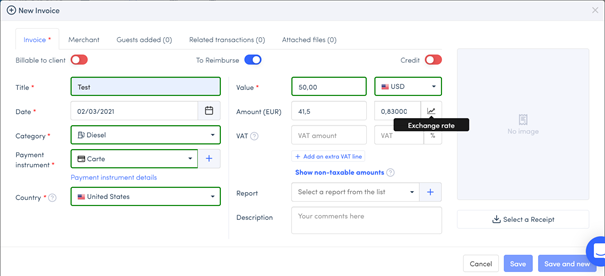
Exchange Rate changeable
When an employee makes an expense abroad, with a currency other than the one configured in his account, the amount is displayed in both currencies, with the exchange rate calculated as explained above.
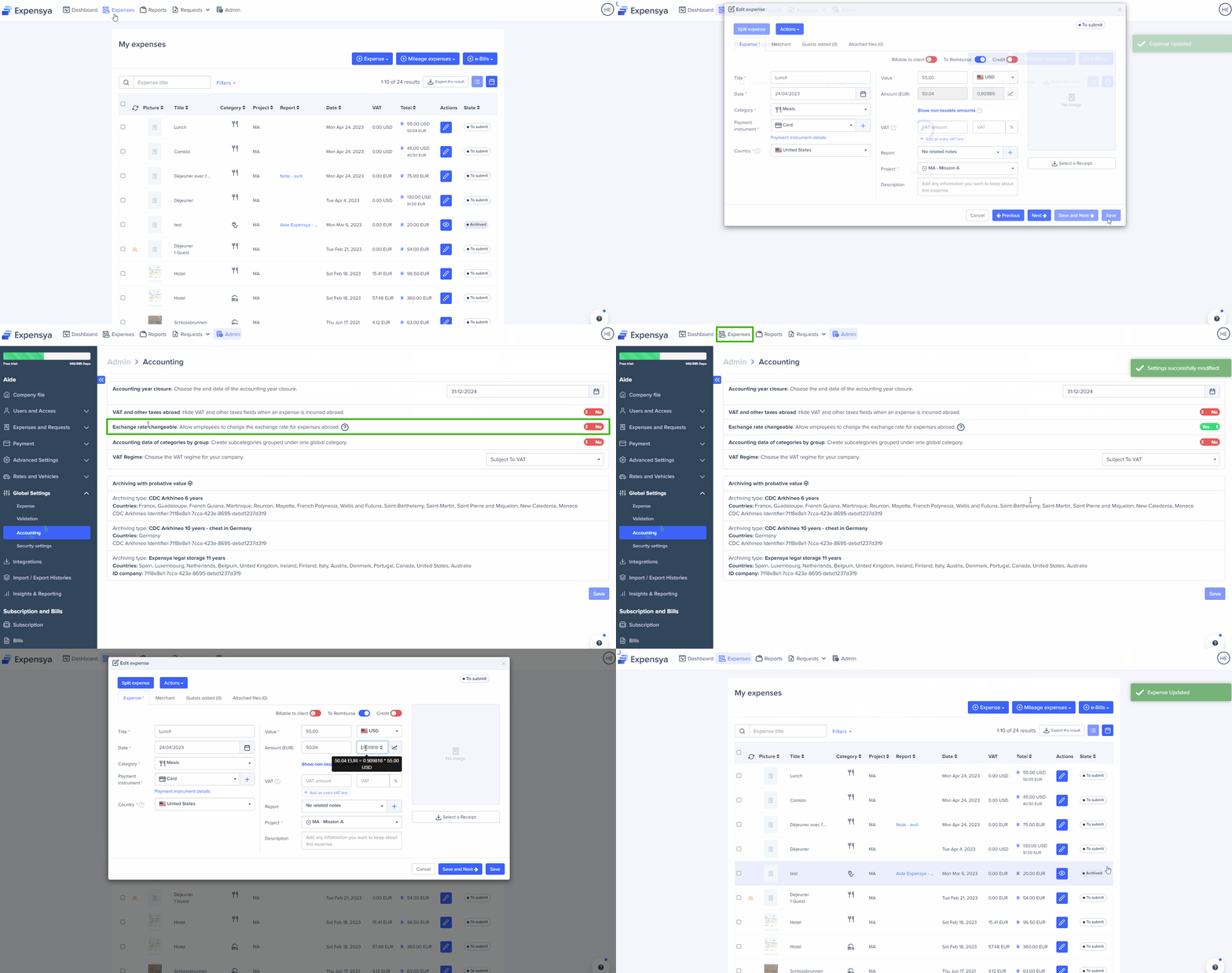
As an administrator, you have the possibility to activate an option that allows end users to modify the exchange rate from the expense form.
To do so,
- Go to the Admin tab, then to the "Global settings" menu
- Go to the Accounting sub-menu
- Activate the option Exchange rate changeable.
- Save
Was this article helpful?
That’s Great!
Thank you for your feedback
Sorry! We couldn't be helpful
Thank you for your feedback
Feedback sent
We appreciate your effort and will try to fix the article