As a manager or accountant, you can only see the expenses uploaded by users requiring your intervention.
If you don't see them, there may be several explanations, so you need to check the following statements:
Has your team sent you their reports?
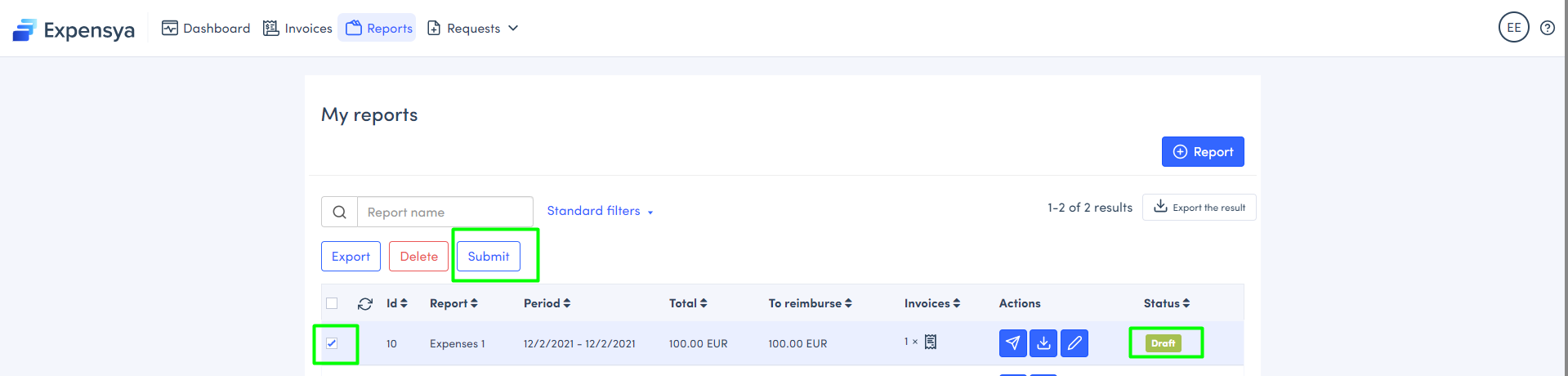
Employees must assign their invoices to a report and send it to their manager. If they don't use the button Submit, it will remain under draft status and will only be visible by them.
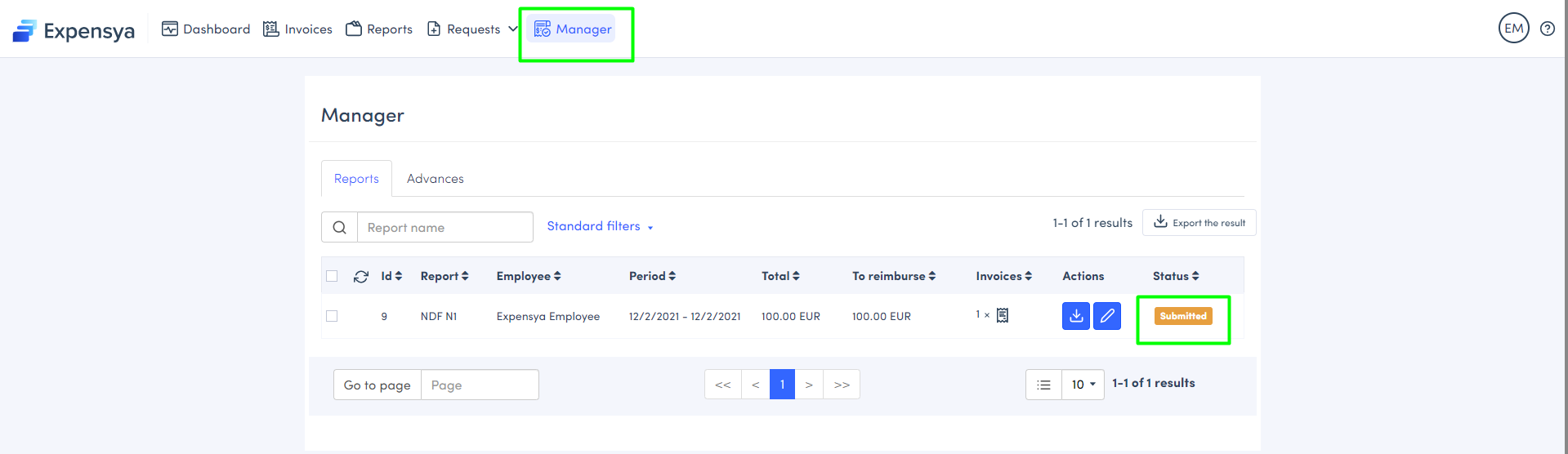
As soon as a member sends you a report, it will appear in your account under the Manager / Accountant tab.
Has the administrator of your account set you as Manager / Accountant?
Check with your Expensya administrator that the roles and approval flows configurations are set correctly.
Still not being able to see a report?
Contact our support team.
Was this article helpful?
That’s Great!
Thank you for your feedback
Sorry! We couldn't be helpful
Thank you for your feedback
Feedback sent
We appreciate your effort and will try to fix the article