Accountants are able to modify the expenses of other employees and collaborators.
When a report is submitted:
- At the top of the page, click on the Accountant tab
- Access the report by clicking on it, then click the Edit expense button.
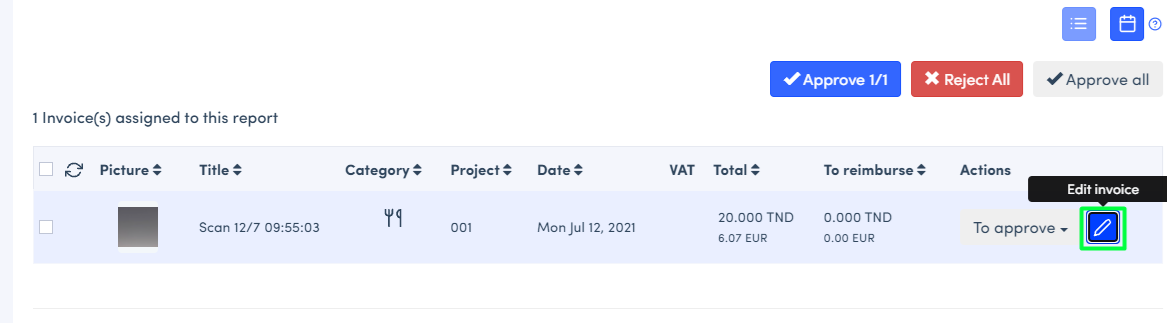
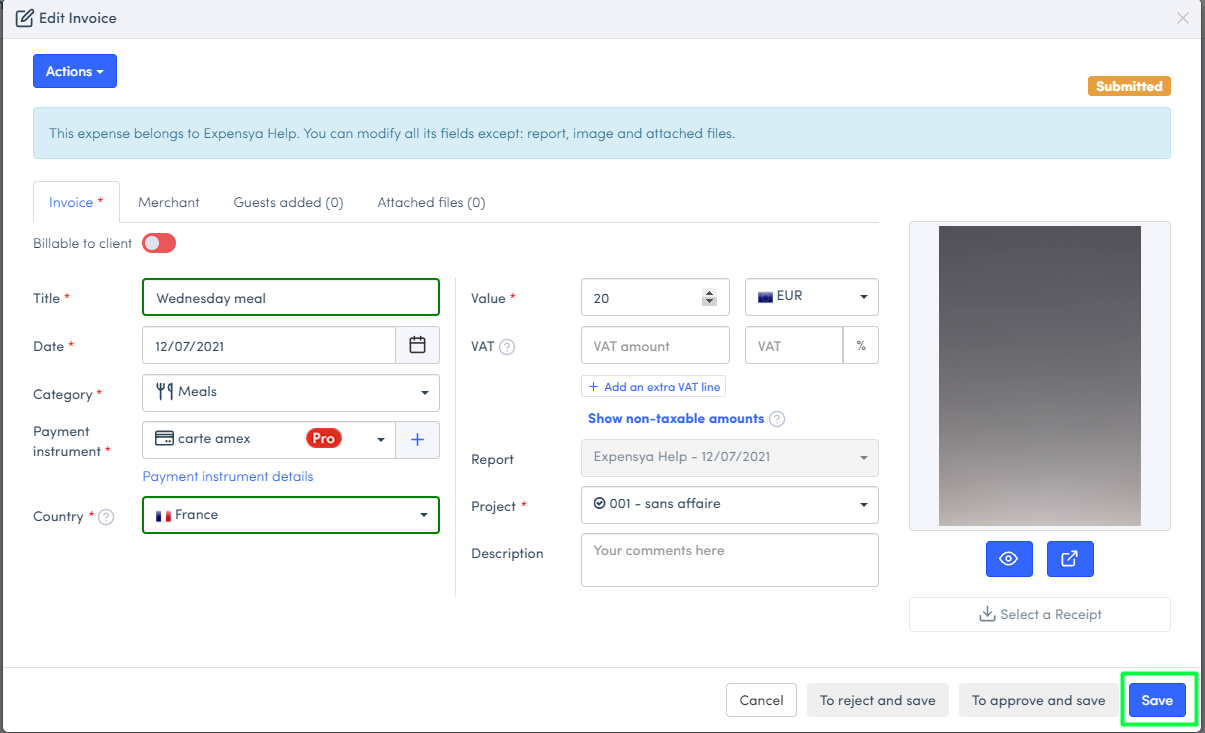
Note: You can modify all the fields except report, project, image and attached files.
- Modify the expense and Save
Was this article helpful?
That’s Great!
Thank you for your feedback
Sorry! We couldn't be helpful
Thank you for your feedback
Feedback sent
We appreciate your effort and will try to fix the article