What is a user group in Expensya?
As an Administrator, you have the ability to create user groups within Expensya. This feature allows for the grouping of users within a tenant based on dimensions.
This functionality streamlines expense management by tailoring expense policies and associated matters to each group. Created by administrators, these groups enable the application of specific expense rules and the allocation of particular matters to each group. Consequently, the defined rules outline authorized expense categories, set spending limits, and adjust other similar parameters to suit the requirements of each group. Furthermore, the allocation of specific matters to groups simplifies the management and tracking of expenses related to individual projects or departments.
In summary, user groups in Expensya serve as an effective means to organize, customize, and optimize expense management within the tenant.
To create a user group:
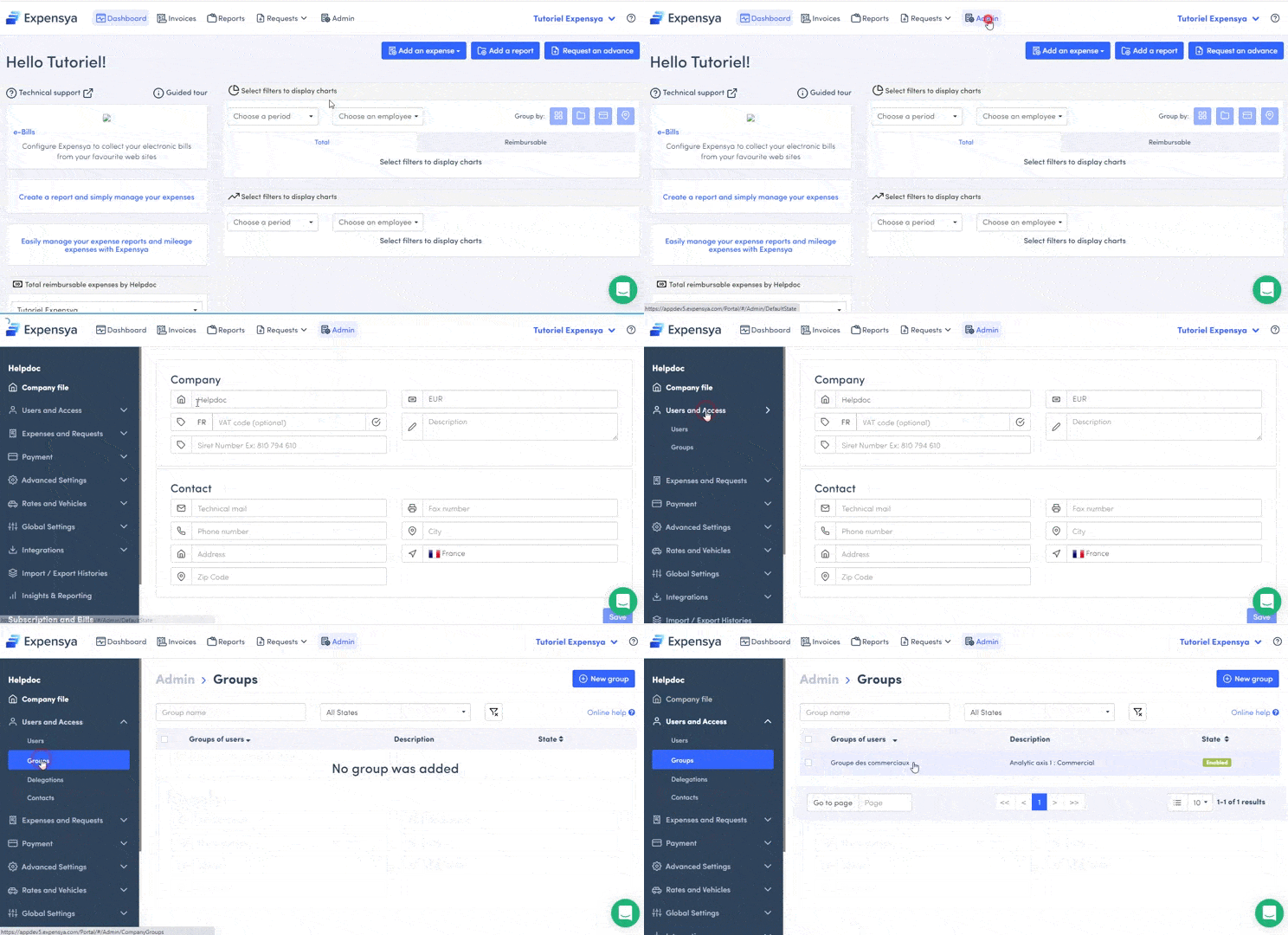
- From the Admin tab, go to the Users section.
- Click on Group, then New group.
- Fill in the group name, and the dimensions.
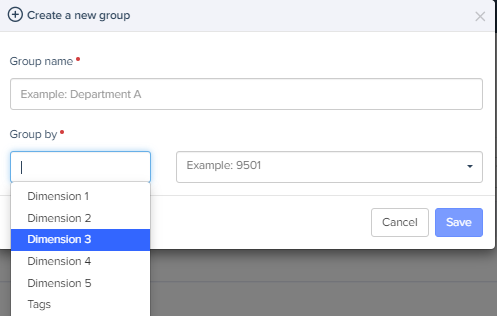
- Confirm creation of the group by clicking on Save.
Was this article helpful?
That’s Great!
Thank you for your feedback
Sorry! We couldn't be helpful
Thank you for your feedback
Feedback sent
We appreciate your effort and will try to fix the article