Expensya gives you the option of adding a custom select list field that allows you to add additional information to the expense form.
Adding and configuring this field is carried out by the account administrator.
The custom select list field allows the user to choose a value from a previously added list; it is possible to assign the value of the custom field to a person or a group of users.
How to add a custom field :
To add a custom select list custom field:
- Go to the Admin tab then the Advanced settings sub-menu
- Find the Custom fields section
- Click the add custom field button
- Fill in the information on the custom field form
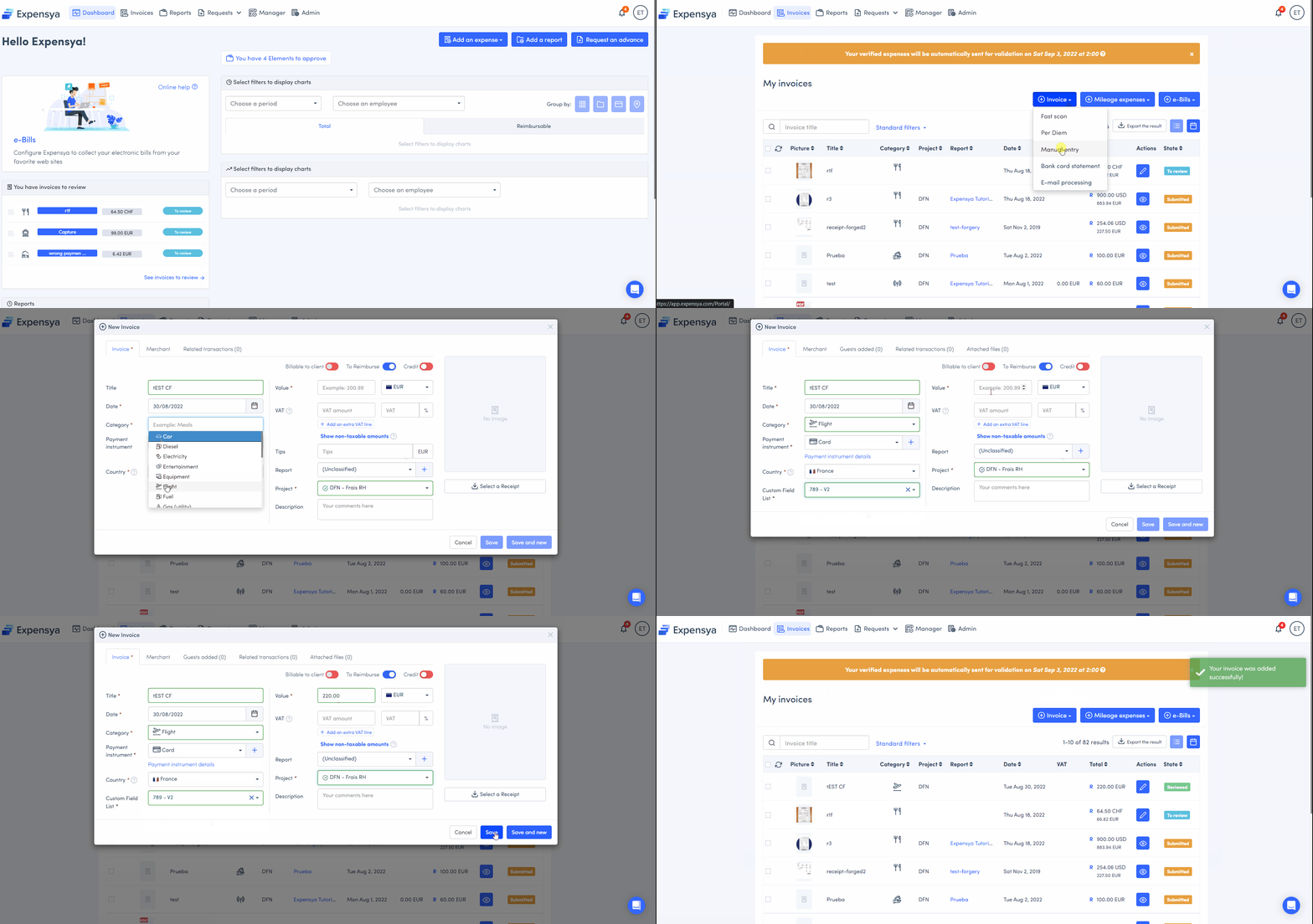
How to add the custom field to the mileage expense form :
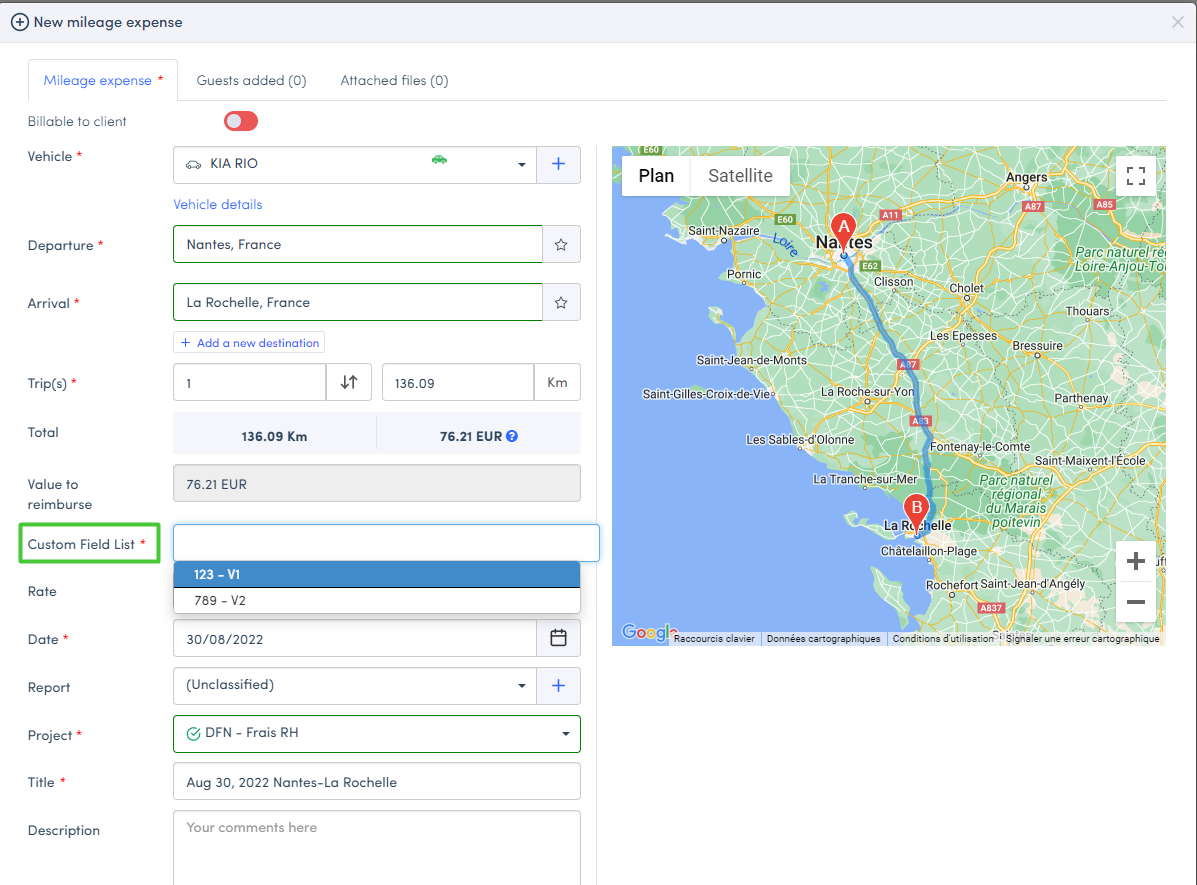
The created field will automatically appear when the mileage expense form is opened.
Was this article helpful?
That’s Great!
Thank you for your feedback
Sorry! We couldn't be helpful
Thank you for your feedback
Feedback sent
We appreciate your effort and will try to fix the article