All users have the possibility of adding, modifying, and deactivating their personal payment instrument.
This configuration is carried out from the account’s personal settings.
How to add a new personal payment instrument:
In order to add a personal payment instrument, simply:
- Click on their name at the top of the page on the right,
- Click on Personal settings,
- Access the Payment instruments,
- Click on add a new payment instrument,
- Fill in the form to add a payment instrument.
- Save.
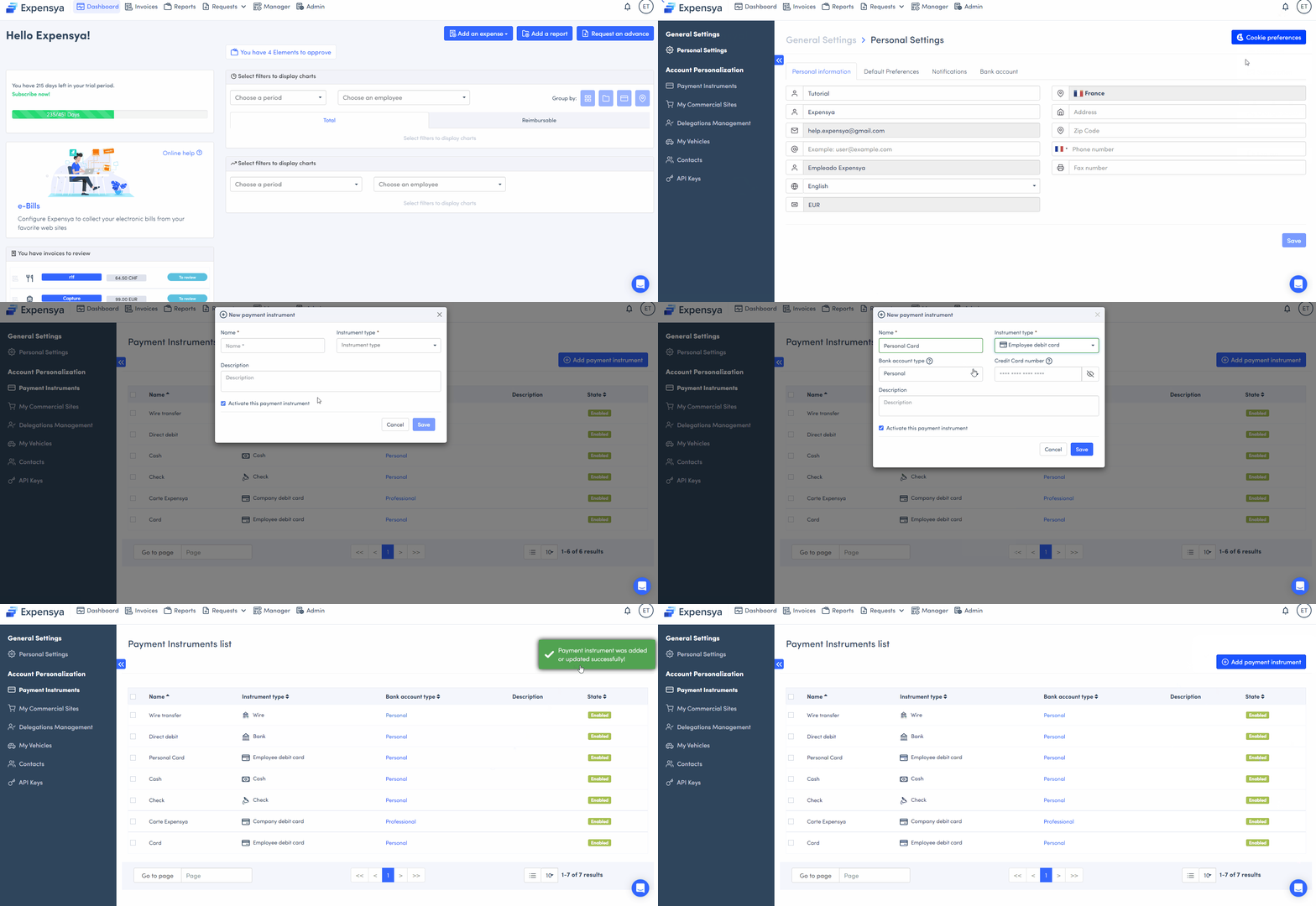
Note: When a user adds their credit card to Expensya and utilizes it for expense payments, Expensya can identify the card through the last four digits provided on the invoice or receipt.
How to modify a payment instrument:
To modify a payment instrument, simply:
- Access the payment instrument list,
- Select the payment method you wish to modify,
- Make the required changes,
- Save.
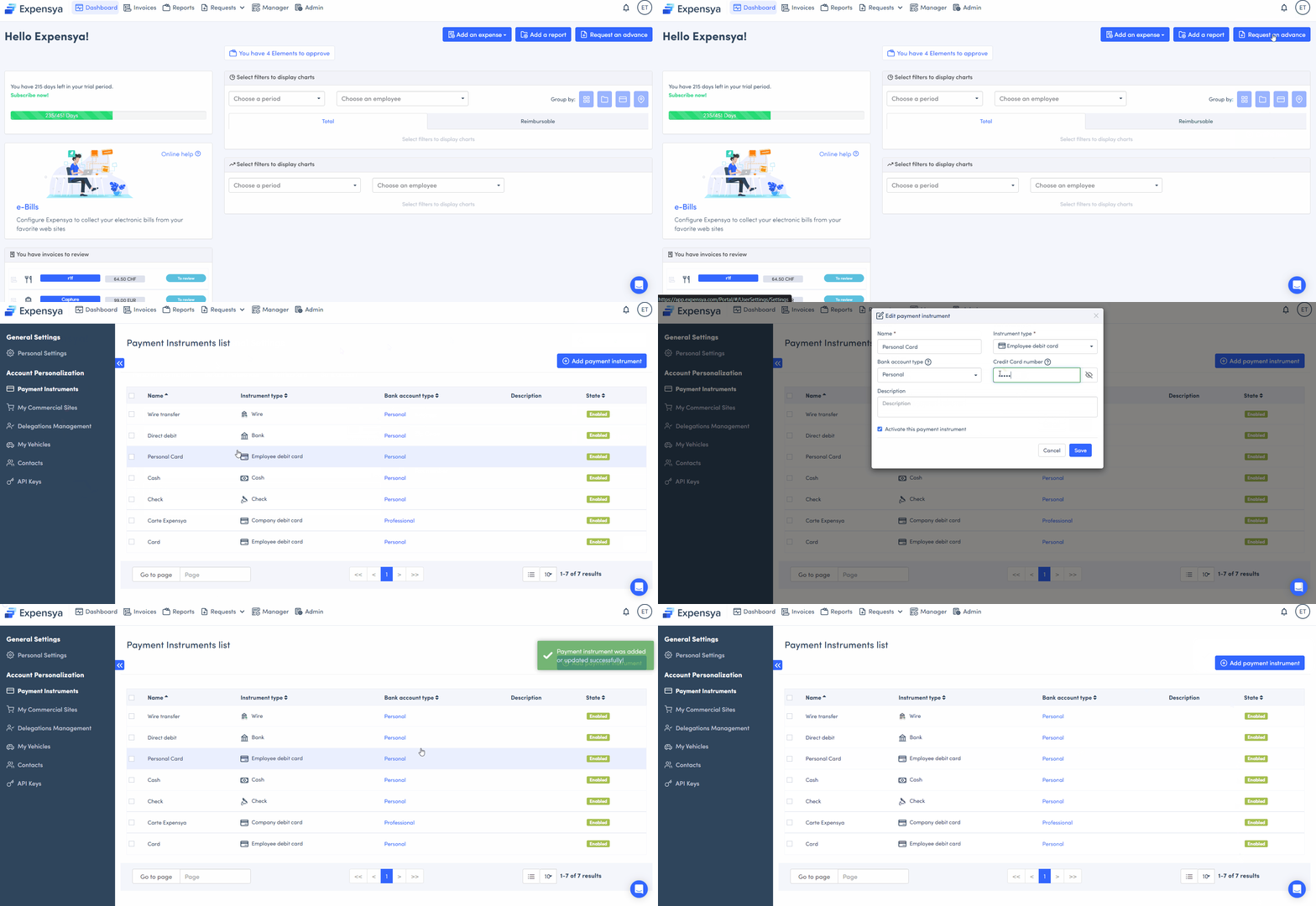
How to deactivate a payment instrument:
To deactivate a payment instrument, simply:
- Select the payment instrument you wish to deactivate.
- Access the payment instrument form.
- Click on the deactivate button.
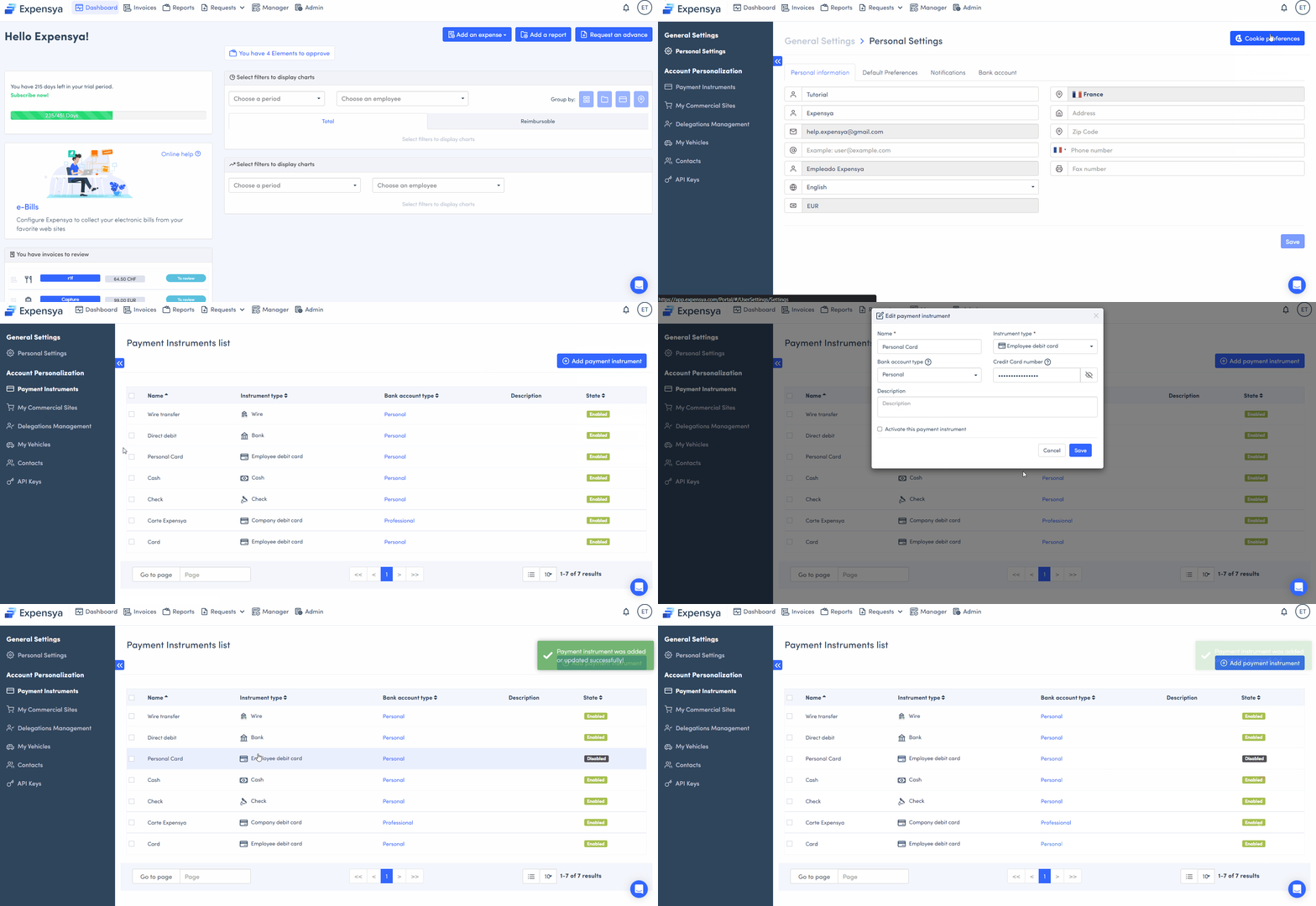
Note: To delete the payment instrument, please get in touch with the Expensya support team. Contact details for the Expensya support team can be found by clicking on this link.
Was this article helpful?
That’s Great!
Thank you for your feedback
Sorry! We couldn't be helpful
Thank you for your feedback
Feedback sent
We appreciate your effort and will try to fix the article