Once you have created a report and assigned expenses to it from the web or mobile version, you can proceed to submit your report for approval.
On the website:
- Go to the Reports tab,
- Access the report,
- Click on Submit report for approval
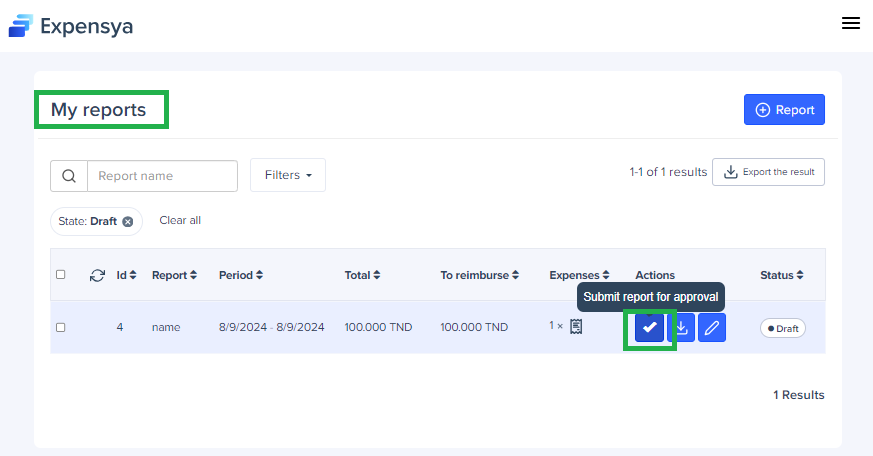
Note: The expenses must be verified to allow the report submission.
- From the mobile:
- Go to the My Reports menu,
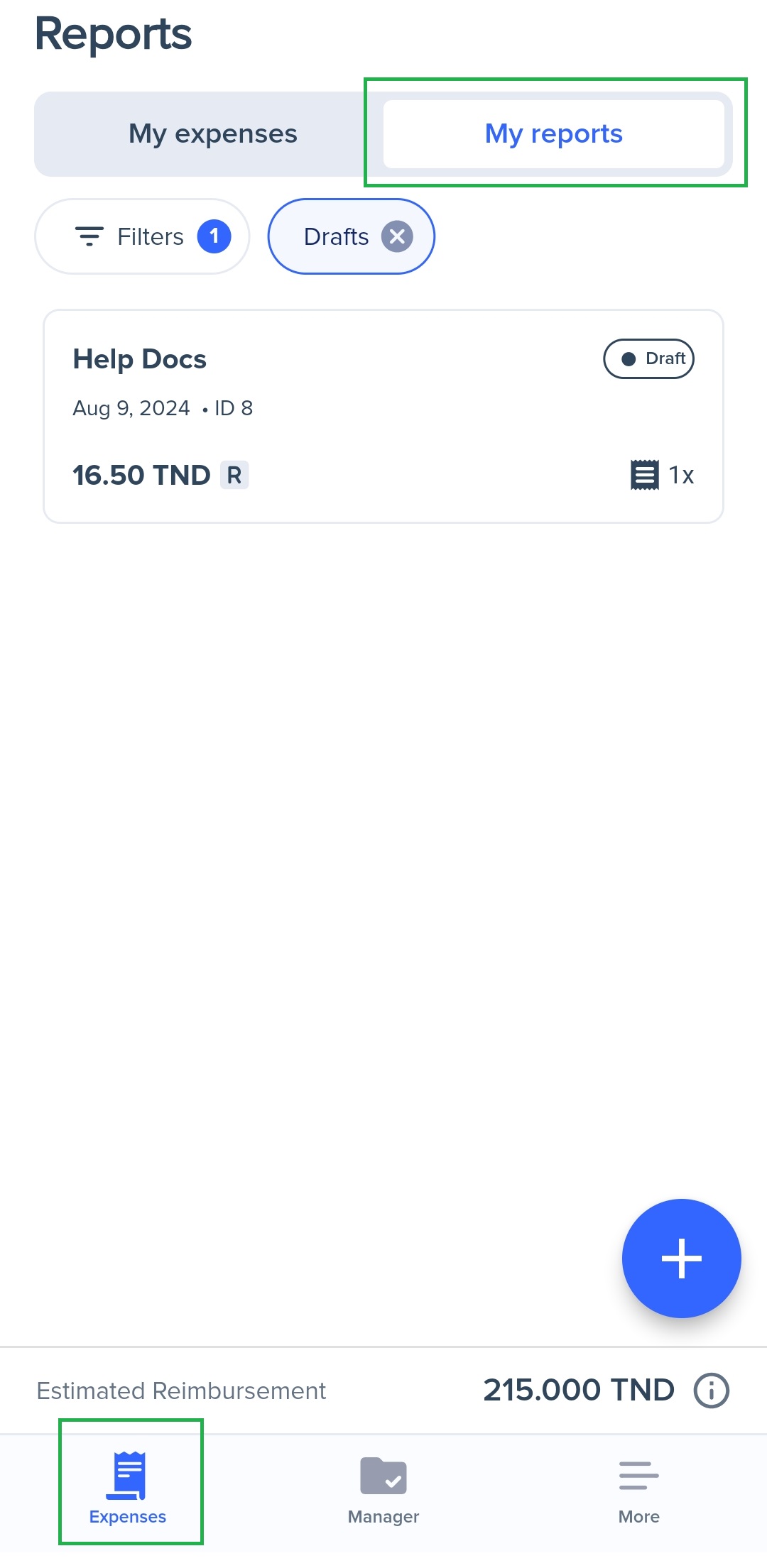
- Access the report,
- Slide the arrow to the right to submit your report

Note: You can also delete, export and submit your report by dragging it to the left of your screen.
Was this article helpful?
That’s Great!
Thank you for your feedback
Sorry! We couldn't be helpful
Thank you for your feedback
Feedback sent
We appreciate your effort and will try to fix the article