The administrator can set up AutoNDF; a process for retrieving verified expenses automatically at any given period, chosen or configured by you. Therefore, instead of creating a report and manually adding your expenses to it, your expenses will be sent directly to a report that has been automatically created beforehand.
AutoNDF configuration by the administrator
- In the Admin tab, head to the Global Settings menu.
- Choose the Approval sub-menu.
- Then activate the Automatic Submission of Expense Reports option.
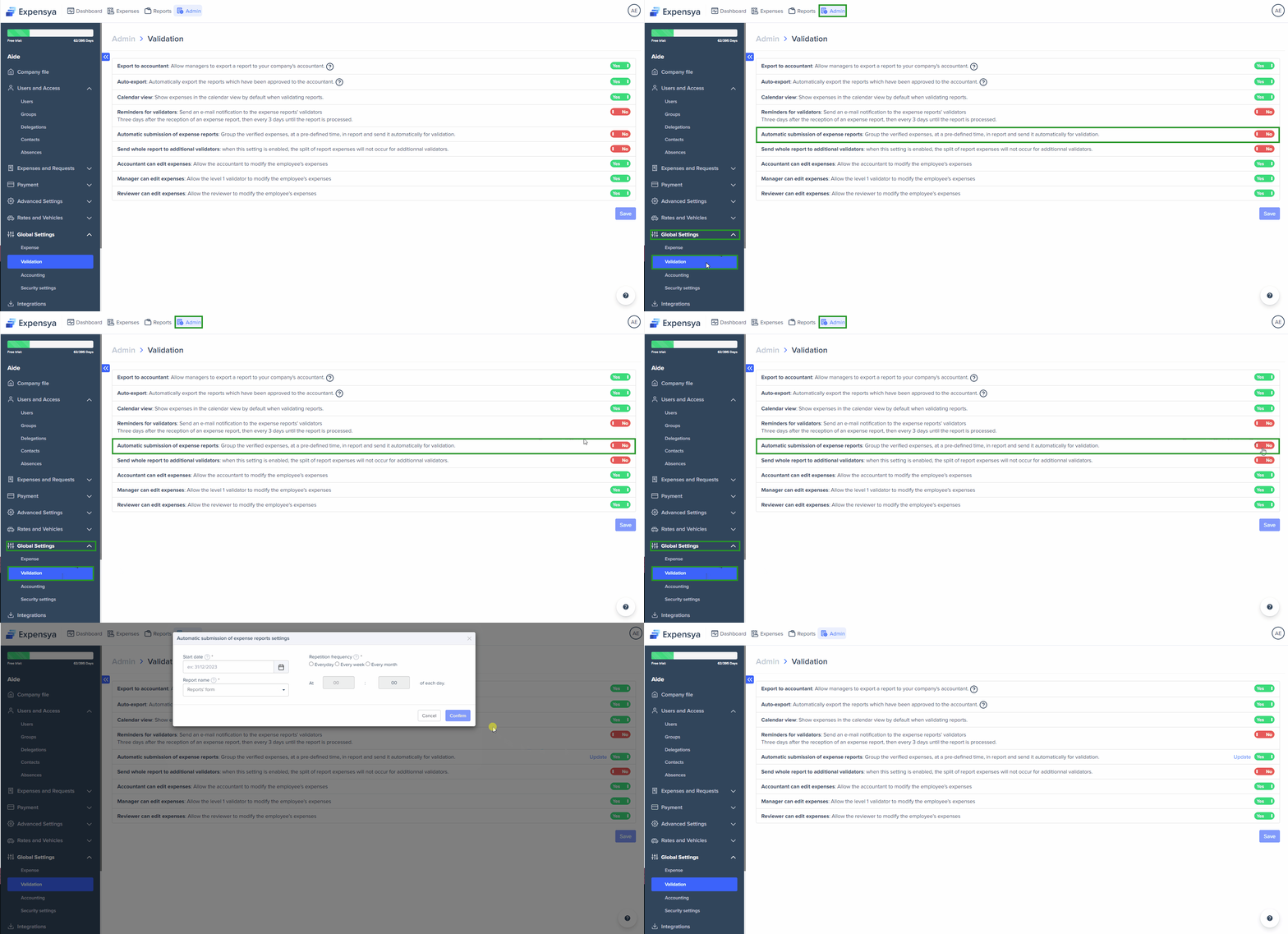
- Set the submission according to :
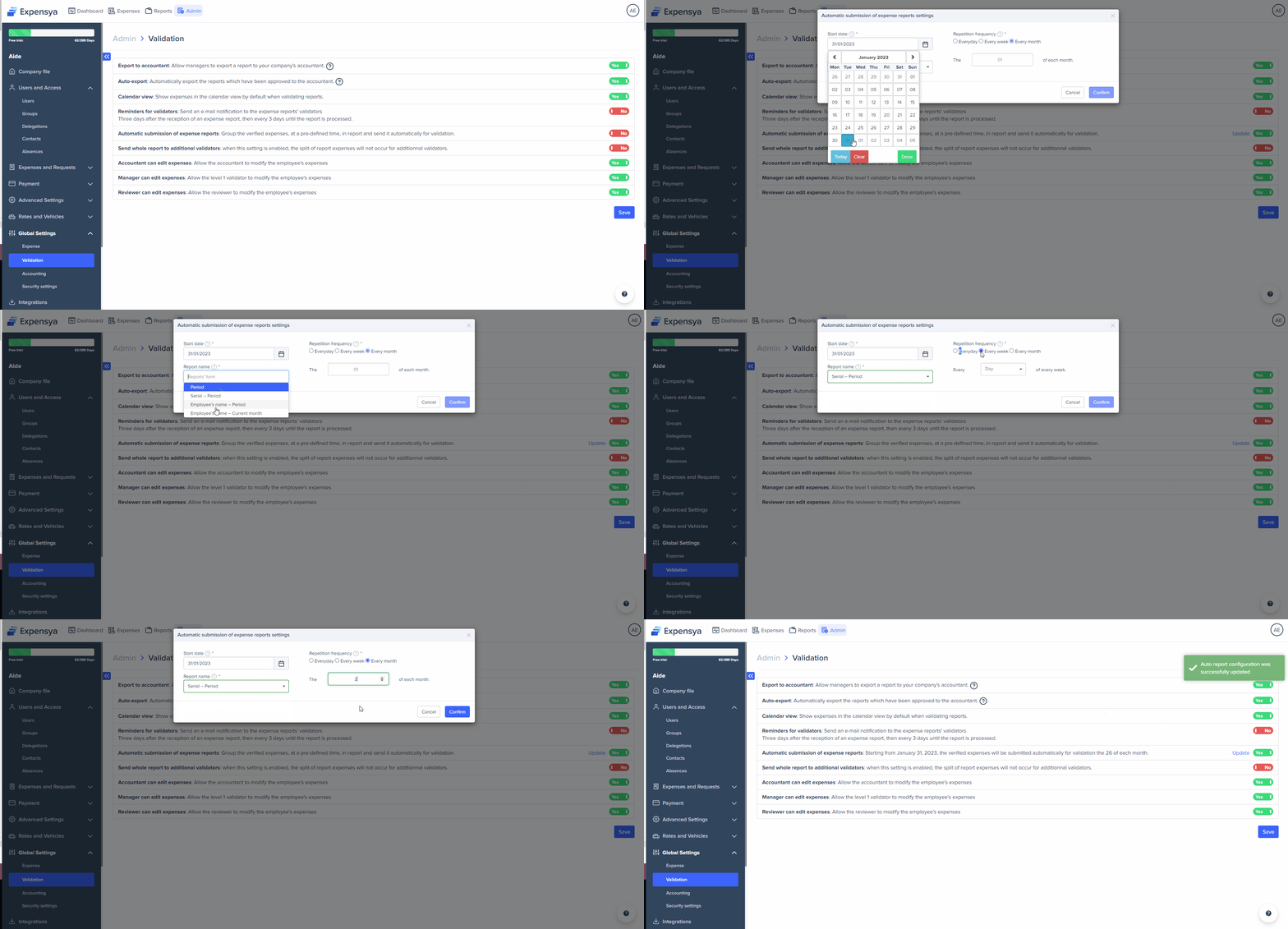
- Start date: Date from which the automatic submission of verified expenses will be activated.
- Report name: Default name for automatically generated report.
- Repeat frequency: The periodicity of automatic submission of reports.
- Confirm
Was this article helpful?
That’s Great!
Thank you for your feedback
Sorry! We couldn't be helpful
Thank you for your feedback
Feedback sent
We appreciate your effort and will try to fix the article