As an Expensya customer you can use public APIs to synchronize your data between Expensya and your information system.
Here's how:
- Token generation:
- Go to the Administration tab.
- Under the Integrations menu, click on API Keys.
- Click on Generate Token to automatically generate a token that will allow you to use our public APIs.
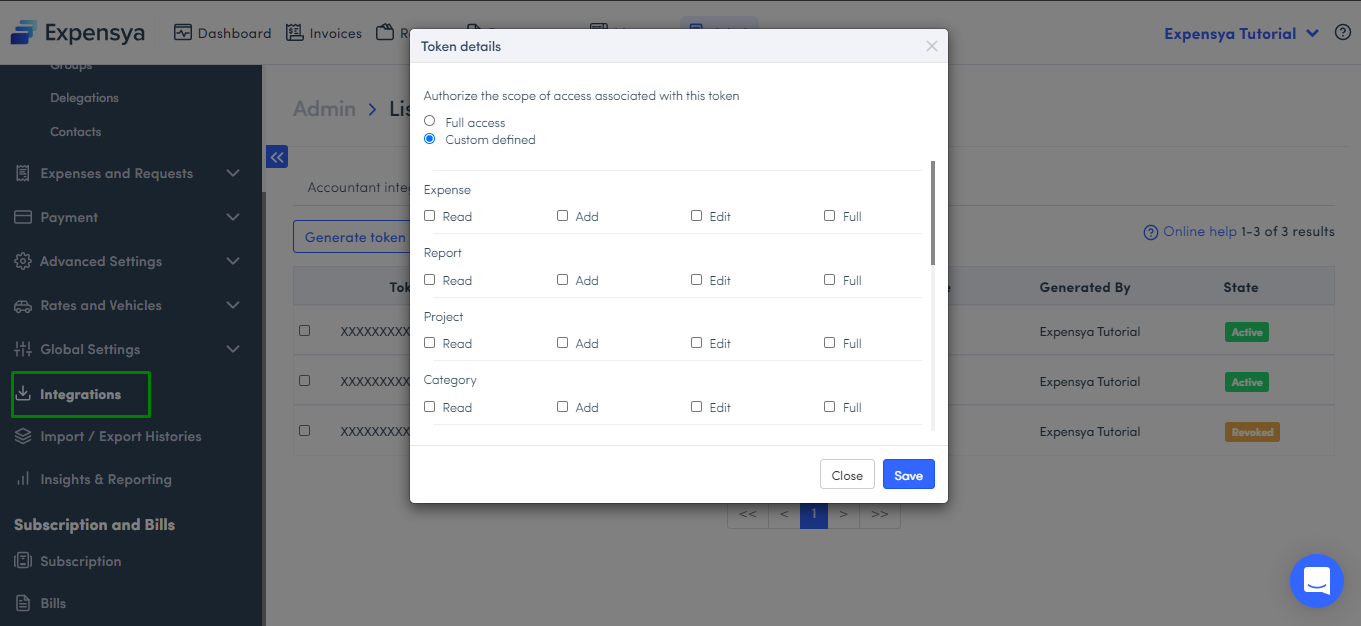
- Copy the token by clicking on it and choosing the Copy option in the pop-up screen.
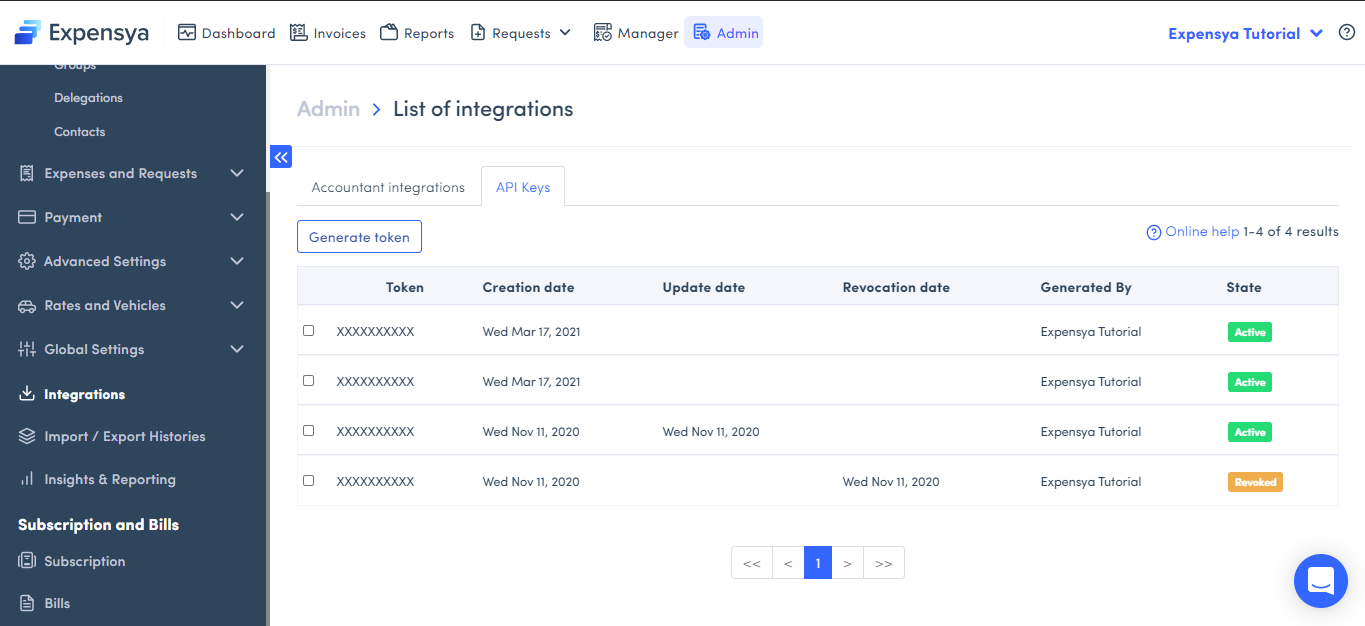
- Finally, you can see the generated token as well as the creation date.
- Registration on the API portal:
- The next step is to register on our API portal: https://developer.expensya.com/signin
- Once connected, you are redirected to the Expensya API page which contains our different APIs:
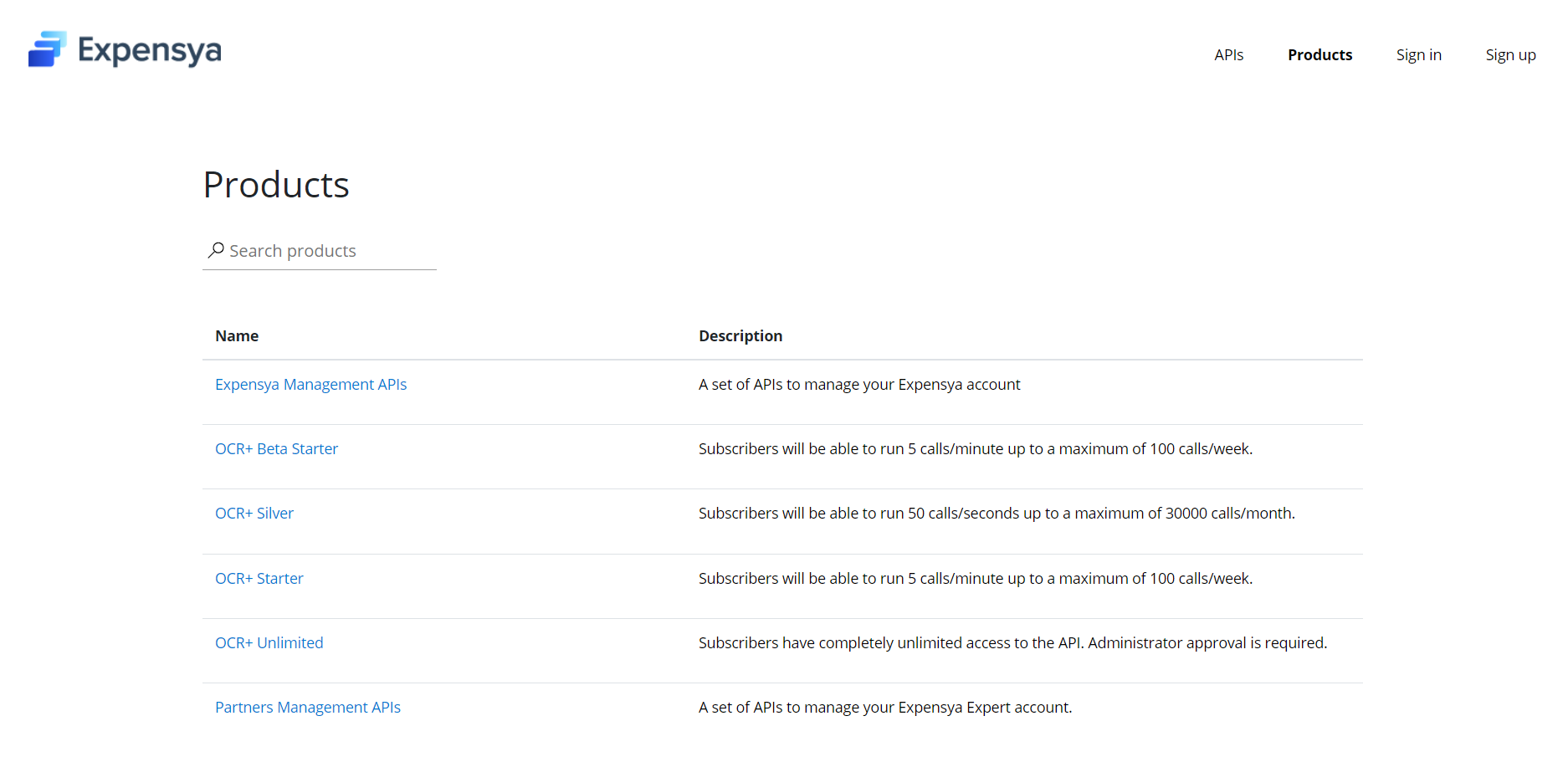
The generated token will allow you to use the Expensya Management APIs: a set of APIs which give you the possibility to independently synchronize elements in your Expensya account and your information system and vice versa (Example: users, missions, projects, etc.).
- Choose Expensya Management APIs and register:
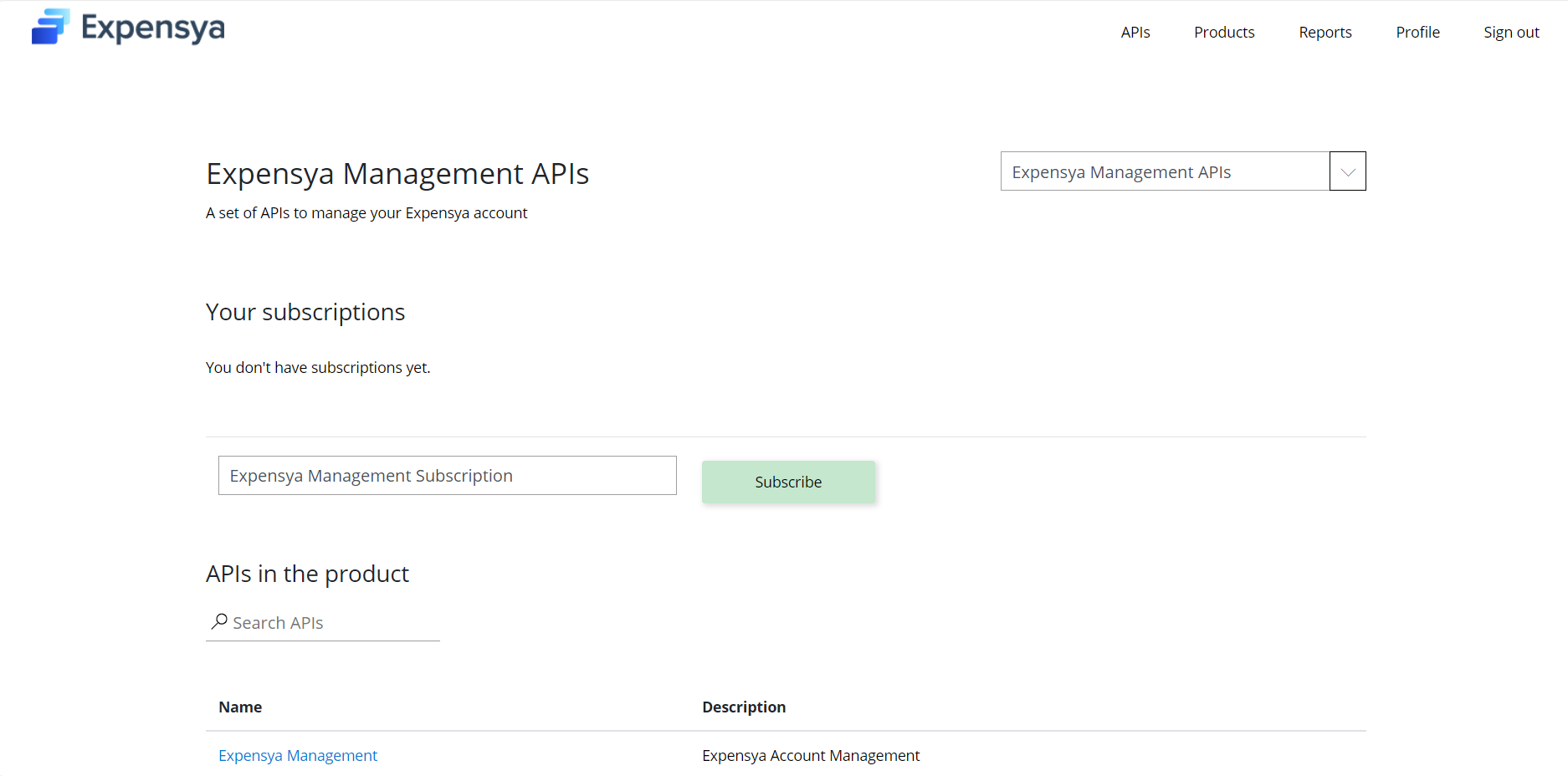
- Select your subscription and confirm.
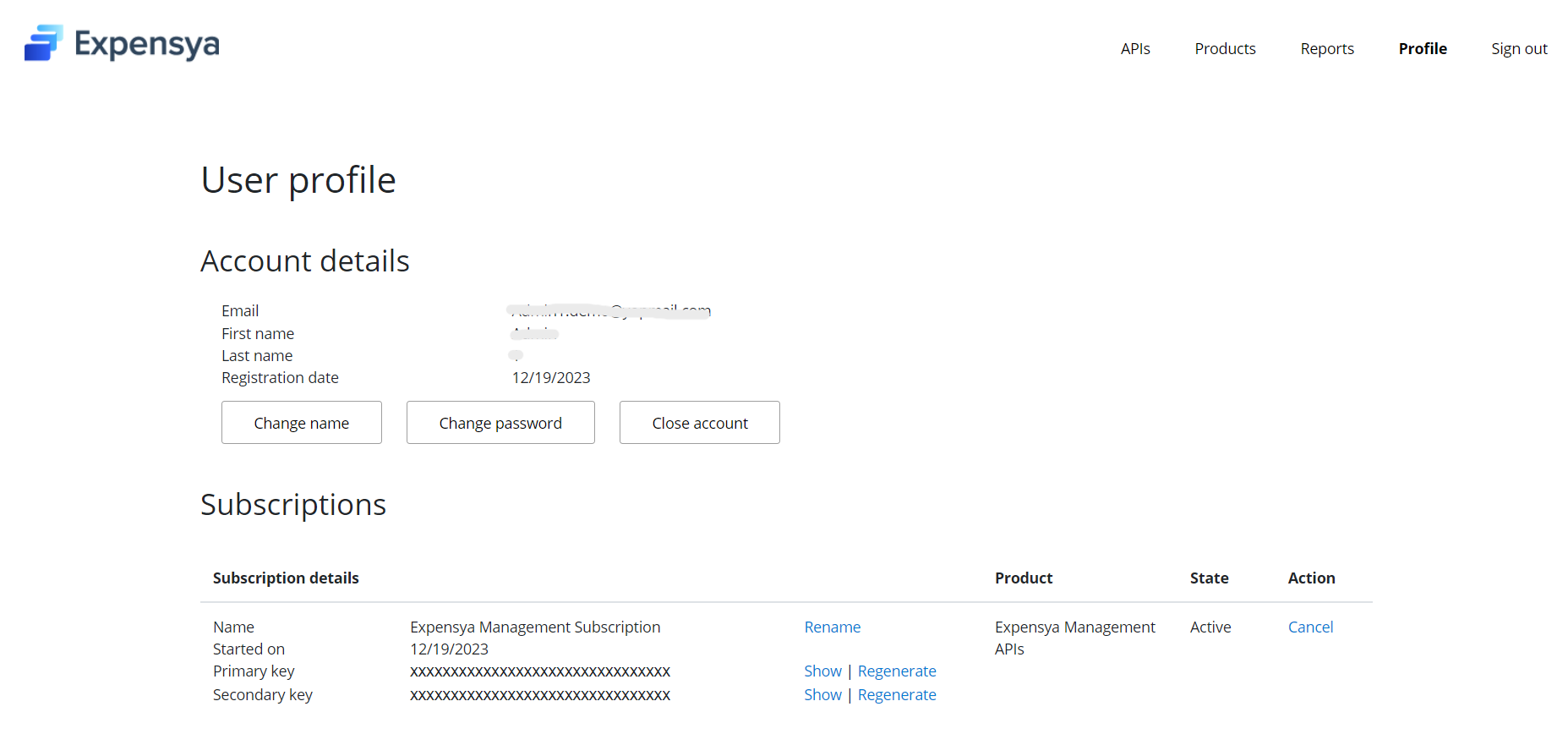
- Then, a new Azure token will be generated:

- Use of APIs:
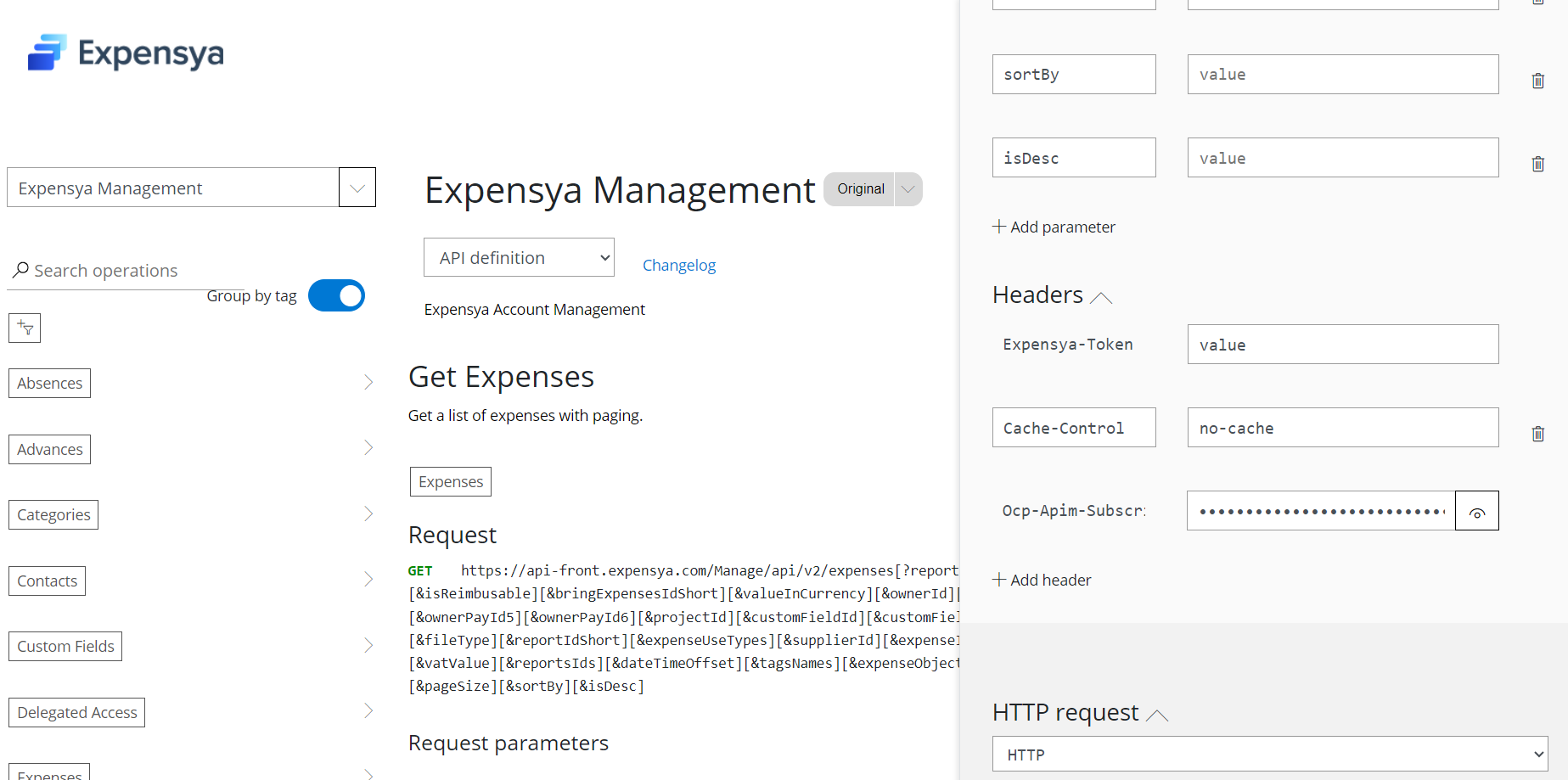
This new token will subsequently be used as a parameter for the Ocp-Apim-Subscription-Key header. The token generated from the Expensya UserToken portal will be used as a parameter for the header of Expensya-Token.
For any additional information please contact the support team. Our teams are always at your disposal!
You can also discover all our integrations here.
Was this article helpful?
That’s Great!
Thank you for your feedback
Sorry! We couldn't be helpful
Thank you for your feedback
Feedback sent
We appreciate your effort and will try to fix the article