We are excited to introduce our new app, Expensya Next, designed to enhance your expense management experience.
Prerequisite
- Download the App
- Click here to go directly to the download page or search for "Expensya Next" in the App Store.
- Log In
- Traditional login: Launch the new app, enter your current credentials (email and password remain the same when switching from the old app to the new one).
- SSO login: Launch the new app, enter your work email, and follow the prompts to sign in using your organization’s domain.
- Familiarize Yourself with the New Interface
For detailed guidance, please refer to this starter guide : Get started with Expensya Next, our new mobile application
- Feedback and Support
Your feedback is highly valued and helps us to enhance our product continuously. Please rate the app and provide your thoughts and suggestions.
To ensure the app functions smoothly, please allow the following permissions when prompted:
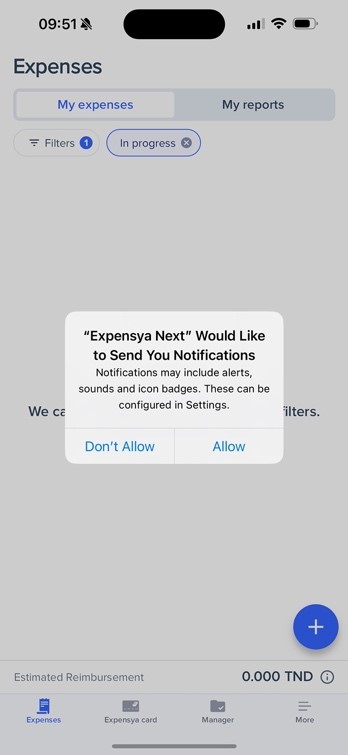
- Notifications
Allow "Expensya Next" to send you notifications for alerts, sounds, and icon badges.
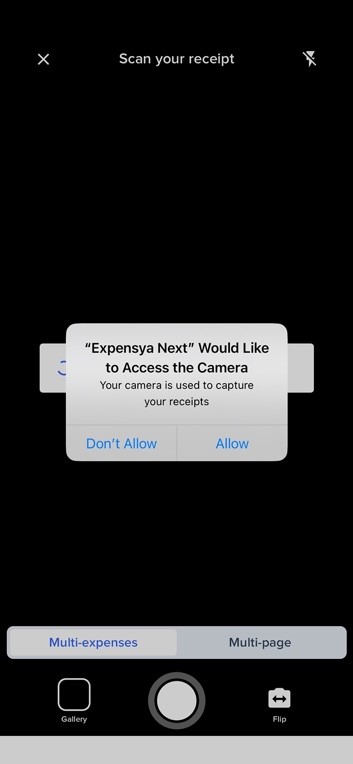
- Camera Access
Allow "Expensya Next" to access your camera for capturing receipts.
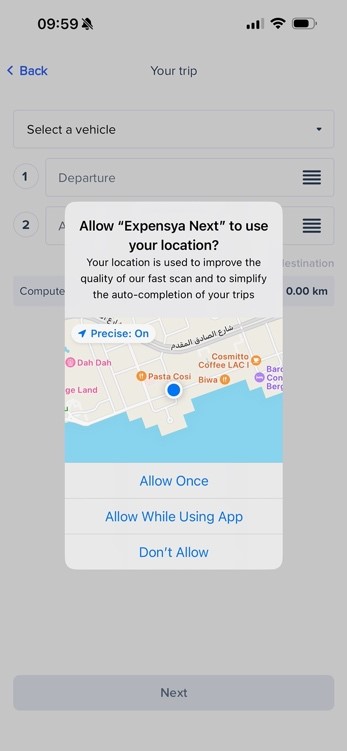
- Location Access
Allow "Expensya Next" to use your location for improving fast scan quality and auto completing your trips.
Was this article helpful?
That’s Great!
Thank you for your feedback
Sorry! We couldn't be helpful
Thank you for your feedback
Feedback sent
We appreciate your effort and will try to fix the article