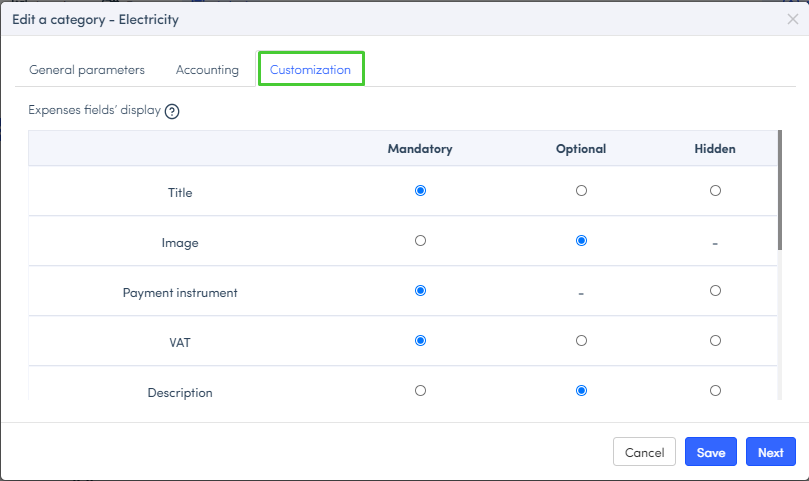
In Expensya, the administrator can customize the fields of an expense form.
To manage the fields of an expense according to its category:
- From the Admin interface, go to the Categories section.
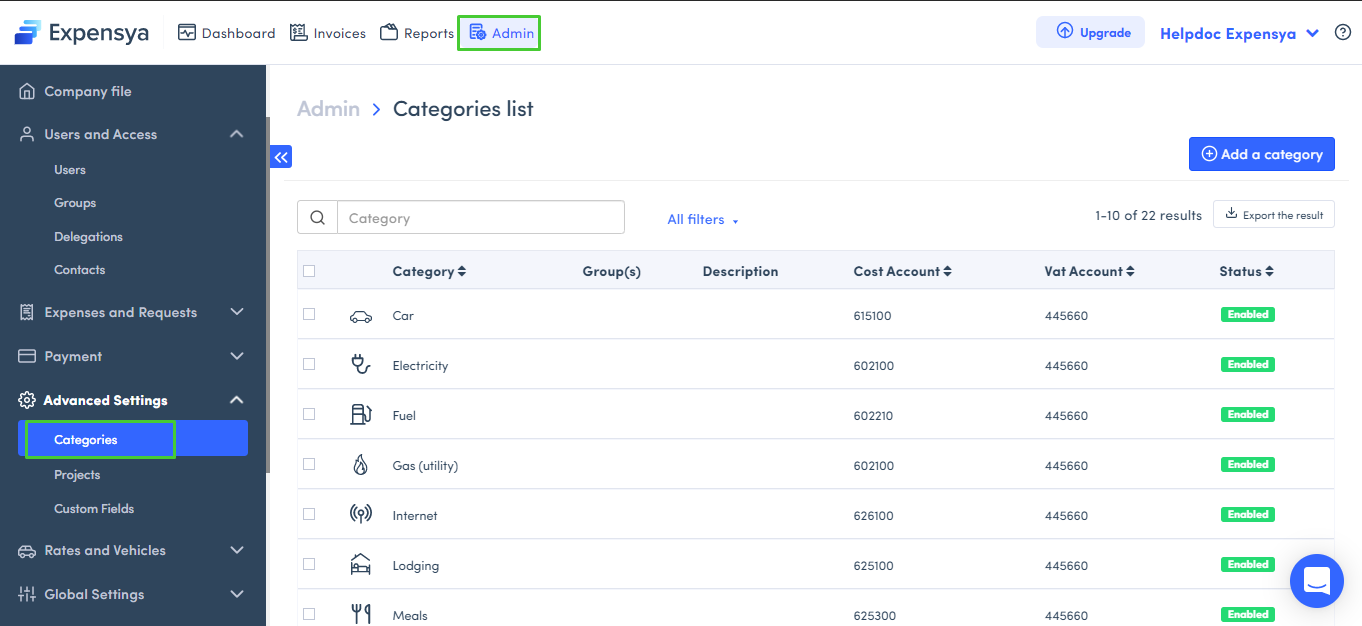
- Click on a category to modify:
- Change its icon or label,
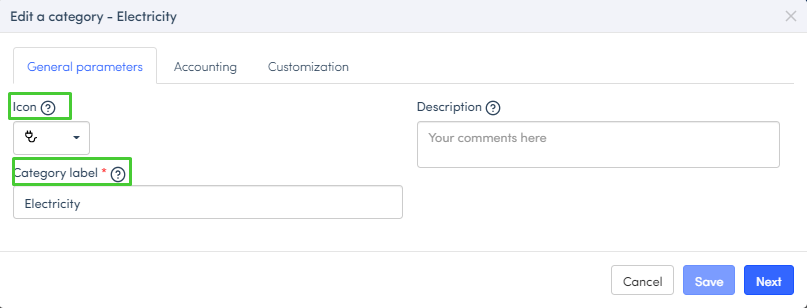
- Set the parameters of your category,
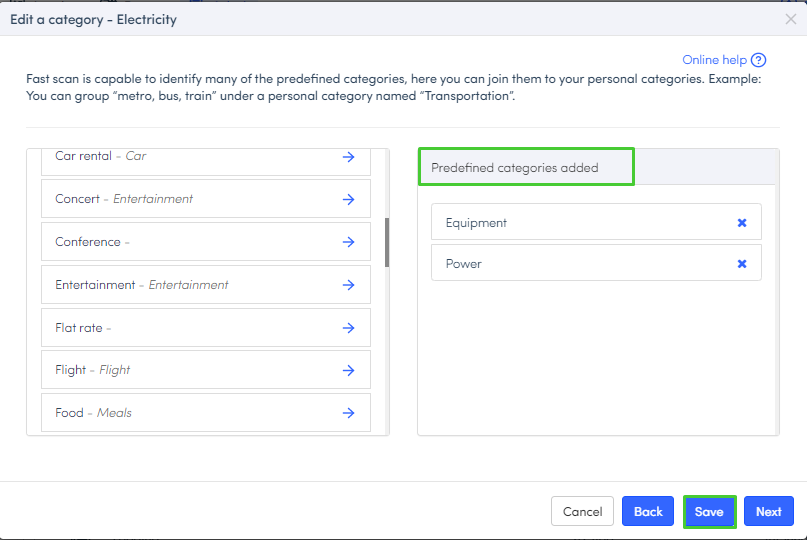
- Click on Next to add predefined categories.
Was this article helpful?
That’s Great!
Thank you for your feedback
Sorry! We couldn't be helpful
Thank you for your feedback
Feedback sent
We appreciate your effort and will try to fix the article