As an Administrator, you have the option to configure the categories from the Expensya website.
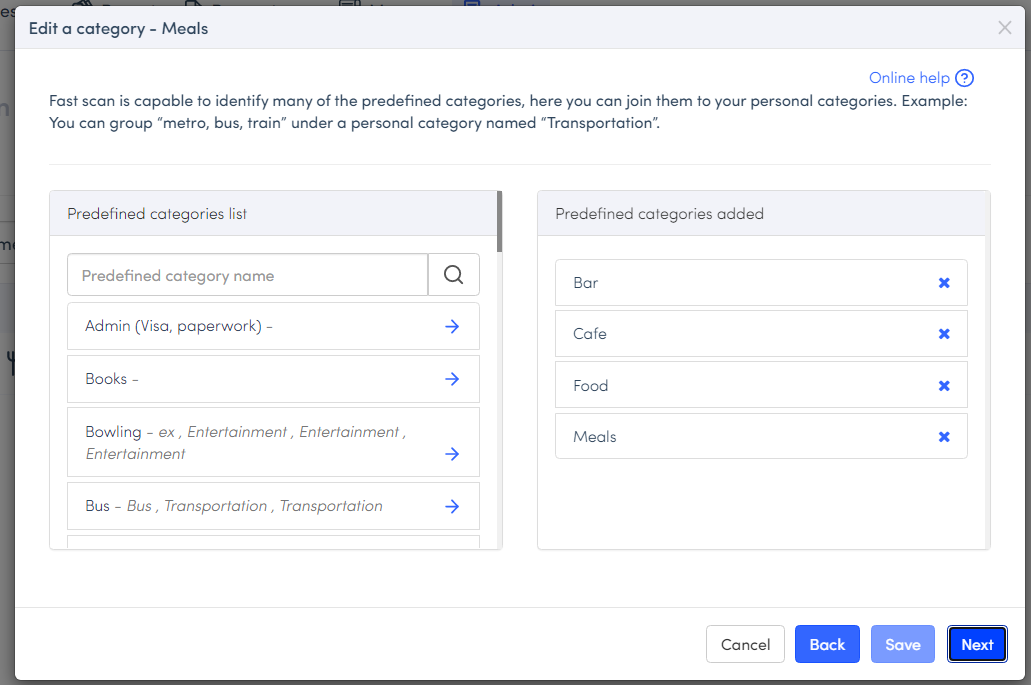
When configuring categories, make sure you insert the correct predefined categories so that our fast scan can correctly detect the category.
What are predefined categories?
Predefined categories are categories of the same nature that you wish to group under the same category.
For example, we can group expenses for bus, taxi, metro, and train tickets under Transport. And when our Intelligent Recognition detects one of these categories, it will associate the expense with the Transport category.
To create your own predefined categories:
- Go to the Admin tab, under the Categories menu
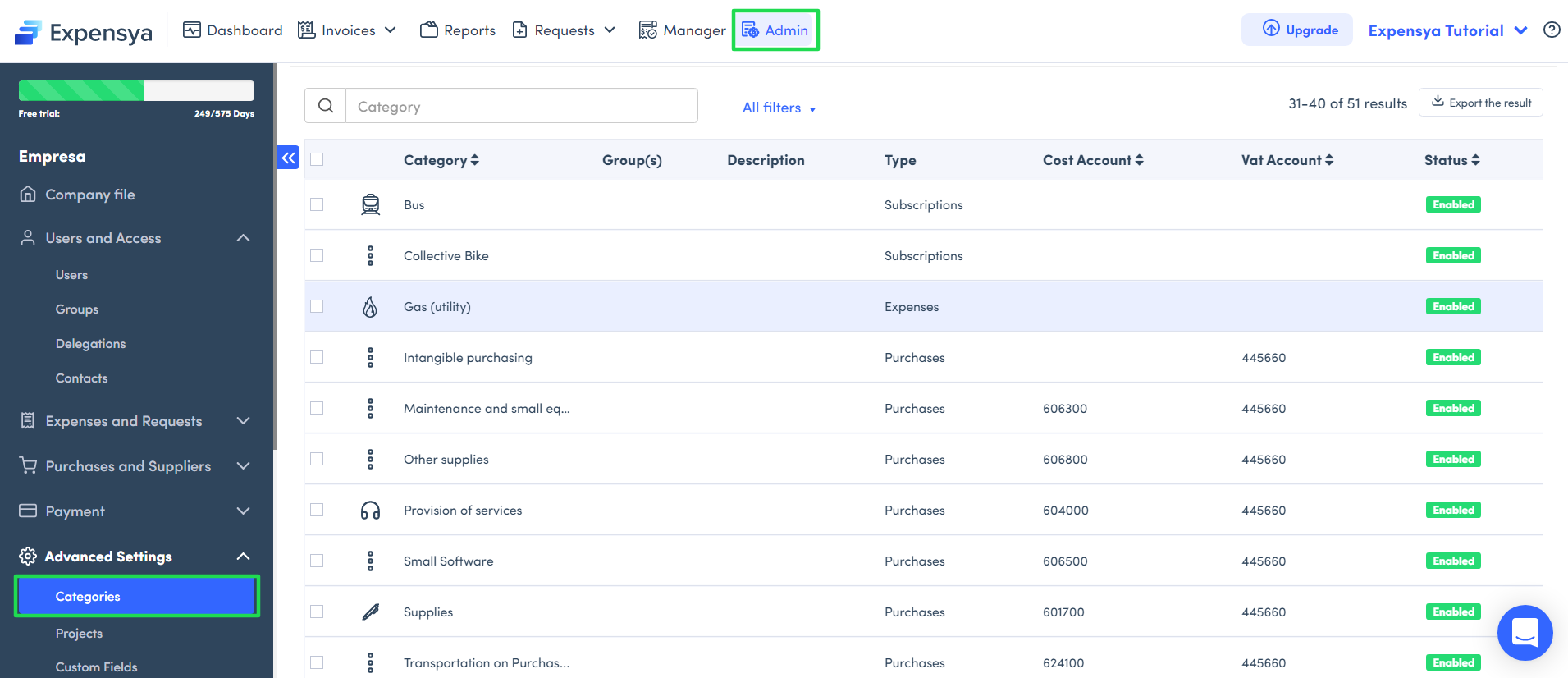
You can modify an existing category or add a new one :
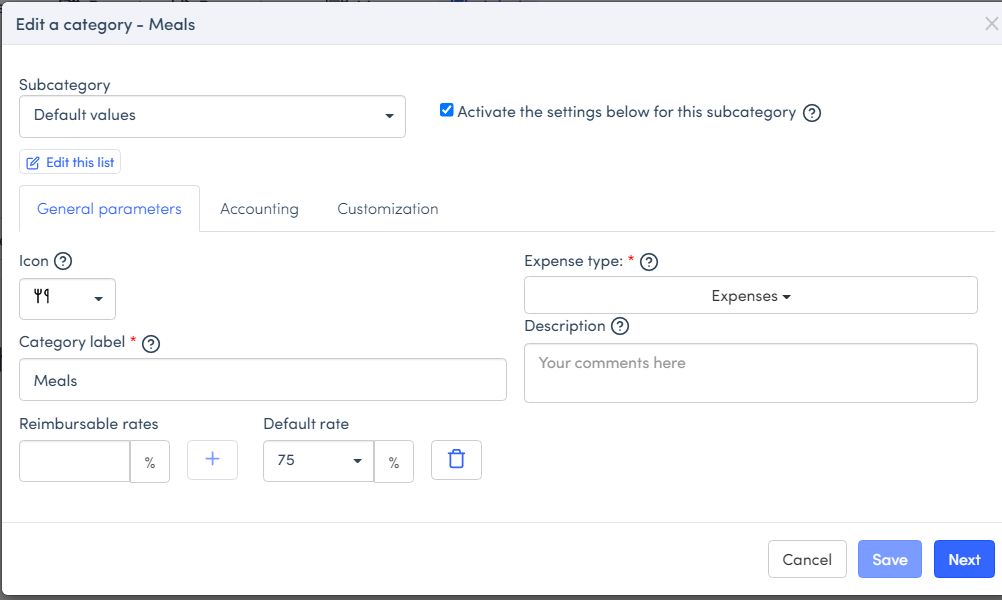
- Set the category label, icon, and VAT accounts if necessary.
- Then, pick the categories to be grouped under the one you have created or modified :
- Next, you can configure a time slot, when the fast scan recognizes a category and the time on the receipt matches the time slot, the expenses will be categorized as Lunch time.
- Assign the category to a group of users if needed, if not it will be made available to all employees.
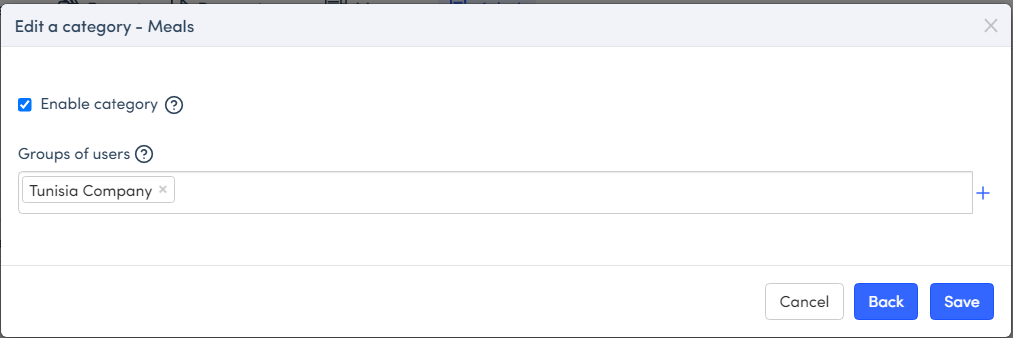
- Don't forget to save your freshly created category.
Was this article helpful?
That’s Great!
Thank you for your feedback
Sorry! We couldn't be helpful
Thank you for your feedback
Feedback sent
We appreciate your effort and will try to fix the article