You can group your expenses in a report from the web or mobile version.
What is a report?
A report in Expensya is an indicative term used to refer to the different expenses linked to the same event or the same period: it is really just an expense box!
Organizing the expenses allows to offer a synthetic overview to the expense management team in your organization !
From the website:
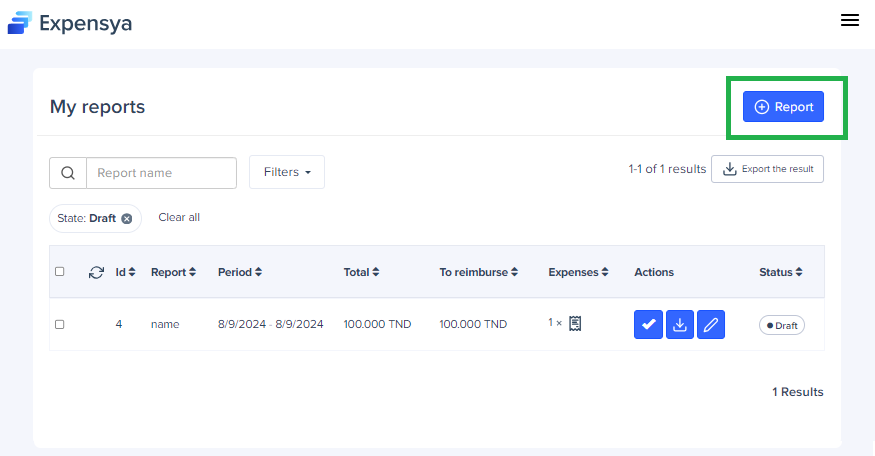
- Go to Reports tab,
- Press + Report,
- Indicate the name of the report and Save
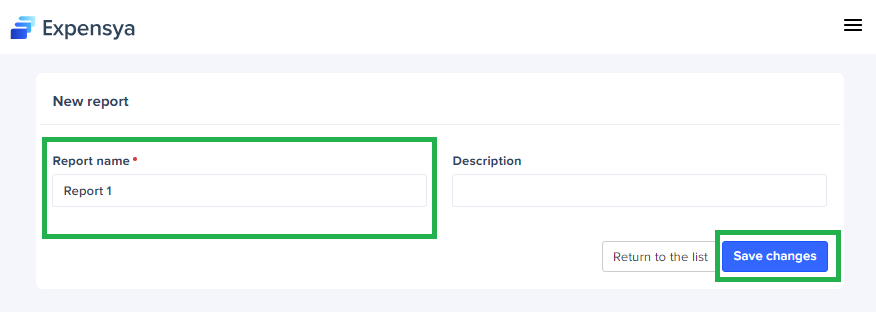
Warning: Return to the list takes you to the list of your reports and cancels the creation of the report
Tip: Save Changes to access the report you have just created and start assigning your expenses
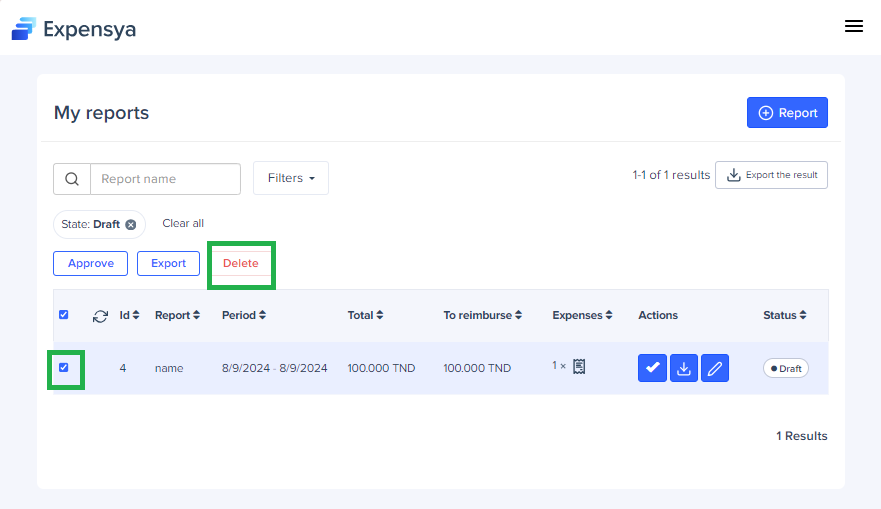
How to delete a report:
- Tick the report,
- Click on Delete which appears above the reports list
From the mobile:
- How to create a report:
- Go to the Reports menu,
- Create your report through the Add your first report button or by pressing the + at the top of the page,
- Indicate the name of your report and save.
Was this article helpful?
That’s Great!
Thank you for your feedback
Sorry! We couldn't be helpful
Thank you for your feedback
Feedback sent
We appreciate your effort and will try to fix the article