Expensya allows you to export your reports and expense from the website:
- Click on Reports,
- Check the reports you wish to export,
- Press Actions and Export

- Choose the format and Download
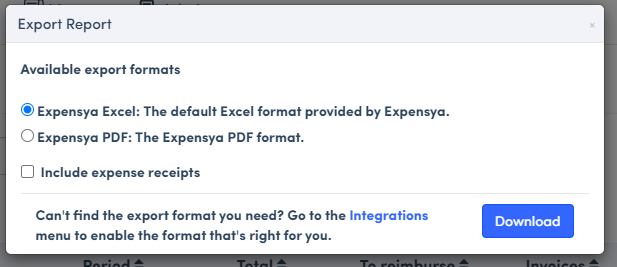
Export expenses from the website:
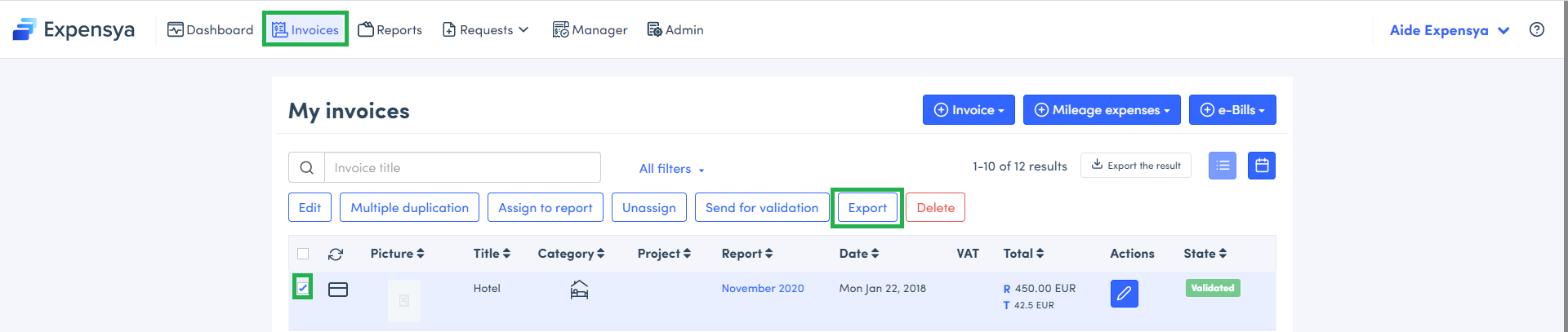
- Go to Expenses,
- Select the expenses you wish to export,
- Click on Actions on expenses, and Export
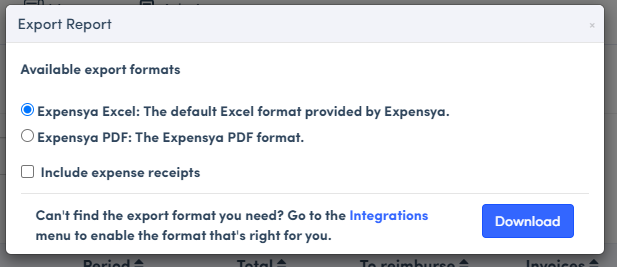
- Choose the format and Download
Expensya export volumes :
The recommended volumes for expense exports within Expensya are:
- For PDF export format: up to 300 expenses.
- For Excel export format: up to 5000 expenses.
- By API: infinite
- Exports via API require technical integration from the client-side.
Was this article helpful?
That’s Great!
Thank you for your feedback
Sorry! We couldn't be helpful
Thank you for your feedback
Feedback sent
We appreciate your effort and will try to fix the article