Note: In order to perform this action the user must be an administrator and using the web platform.
Here are the steps to follow to export all your tenant’s expense reports:
- Log in to your Expensya account on the web: https://www.expensya.com/Portal/#/Login
- Go to the Admin tab, Expenses list sub-menu.,
- Download your expenses by clicking export button.
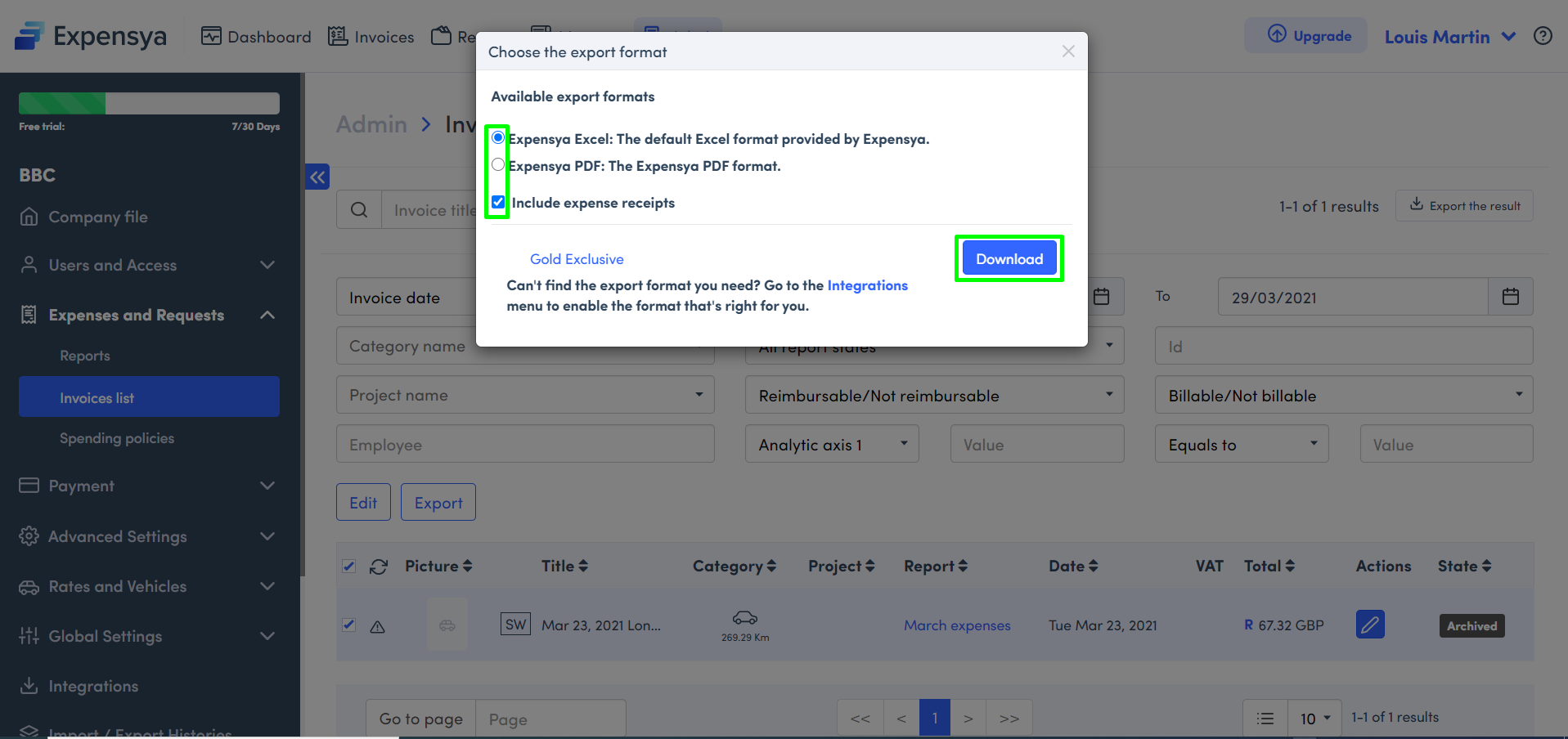
After clicking on the download button, select the export format.
Remember to include the invoice receipts by checking the relevant box, e.g. If you want to send these data to your accountant or your VAT recovery service provider.
You can perform the same operation from the Admin tab, “Reports” sub-menu.
approvers and accountants can perform the same operation from their respective tabs, but they will only be able to see and export Reports that are submitted to them.
Was this article helpful?
That’s Great!
Thank you for your feedback
Sorry! We couldn't be helpful
Thank you for your feedback
Feedback sent
We appreciate your effort and will try to fix the article