Warning: QuickBooks is no longer available in France
Note: The notes need to be archived to export them to QuickBooks.
Expensya allows you to send your reports and invoices to Quickbooks. Once exported, you can find them:
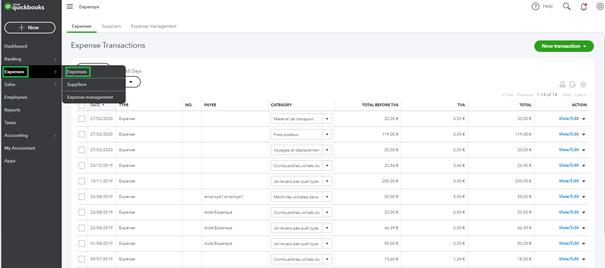
Under Expenses selection, In recent operations as indicated below:
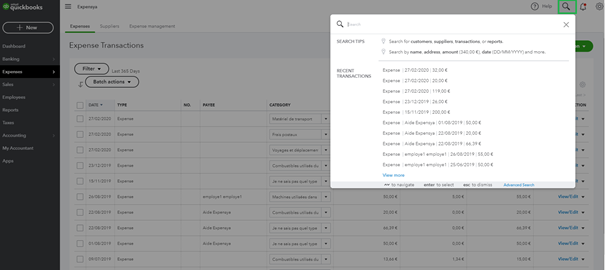
Note: Use the magnifying glass to search your invoices
Was this article helpful?
That’s Great!
Thank you for your feedback
Sorry! We couldn't be helpful
Thank you for your feedback
Feedback sent
We appreciate your effort and will try to fix the article