Warning: QuickBooks is no longer available in France.
Note: You can connect your to QuickBooks account from Expensya. But only the Administrator can perform this operation.
You will:
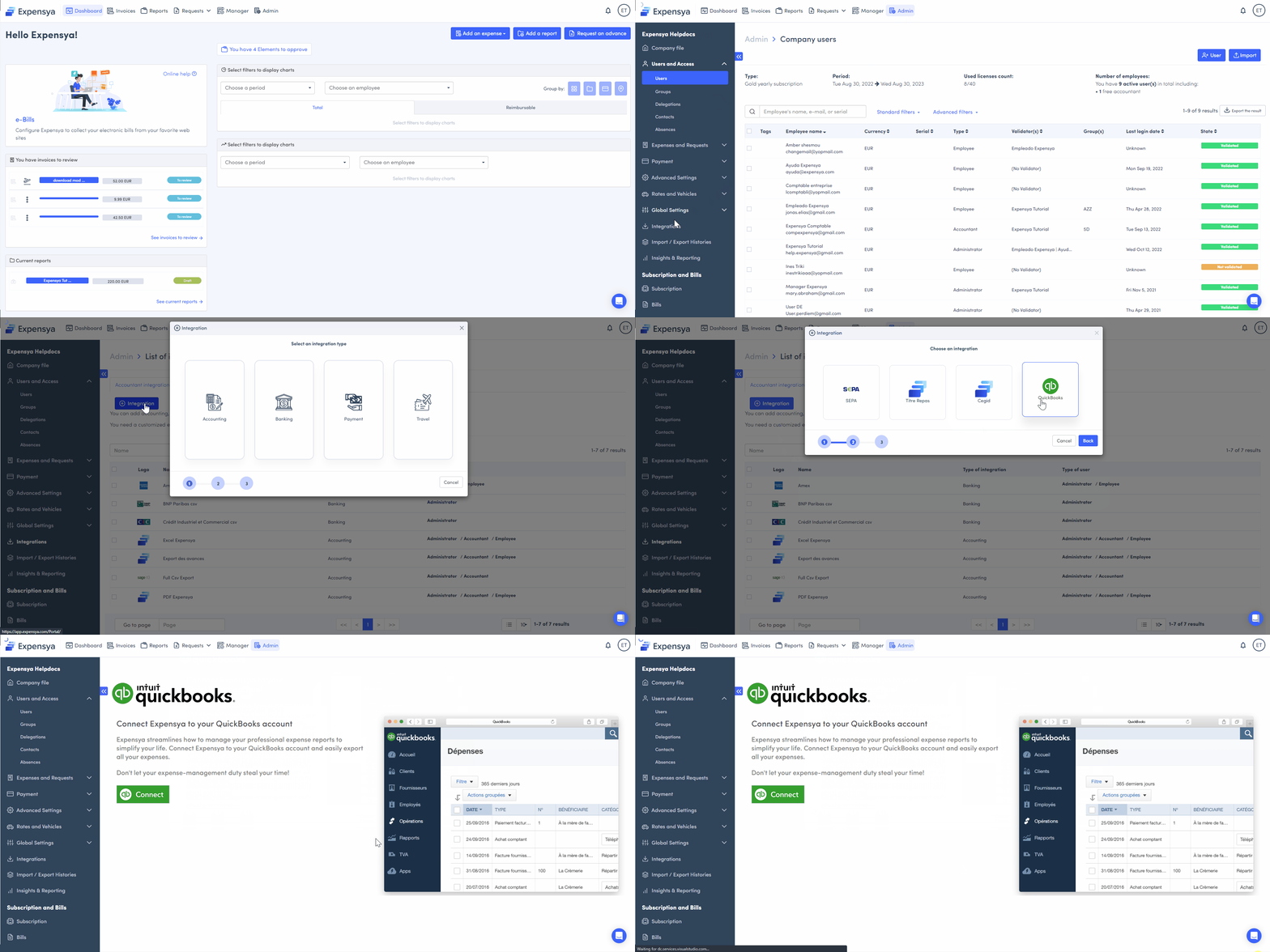
- Go to the Admin tab, then the Integrations submenu.
- Click on + Integration and then on the Payment option.
- Press QuickBooks and then Go to page Quickbooks
- Click on Connect.
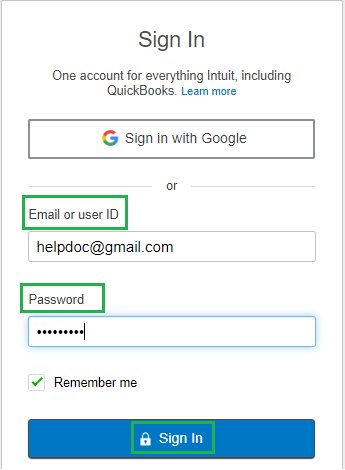
- Type in your Quickbooks Email and Password to log into your account.
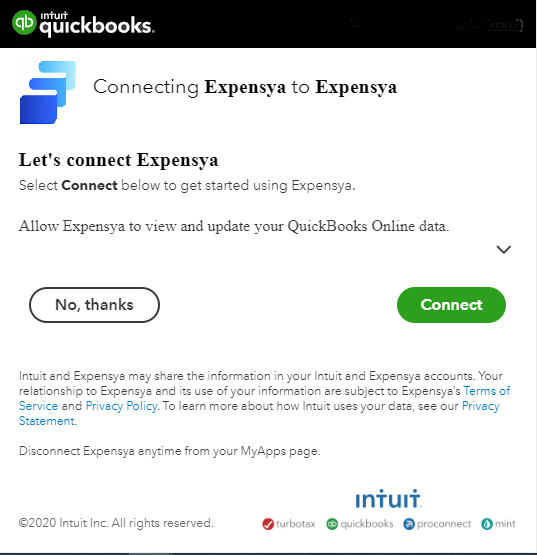
- Click on Connect to connect Expensya with QuickBooks.
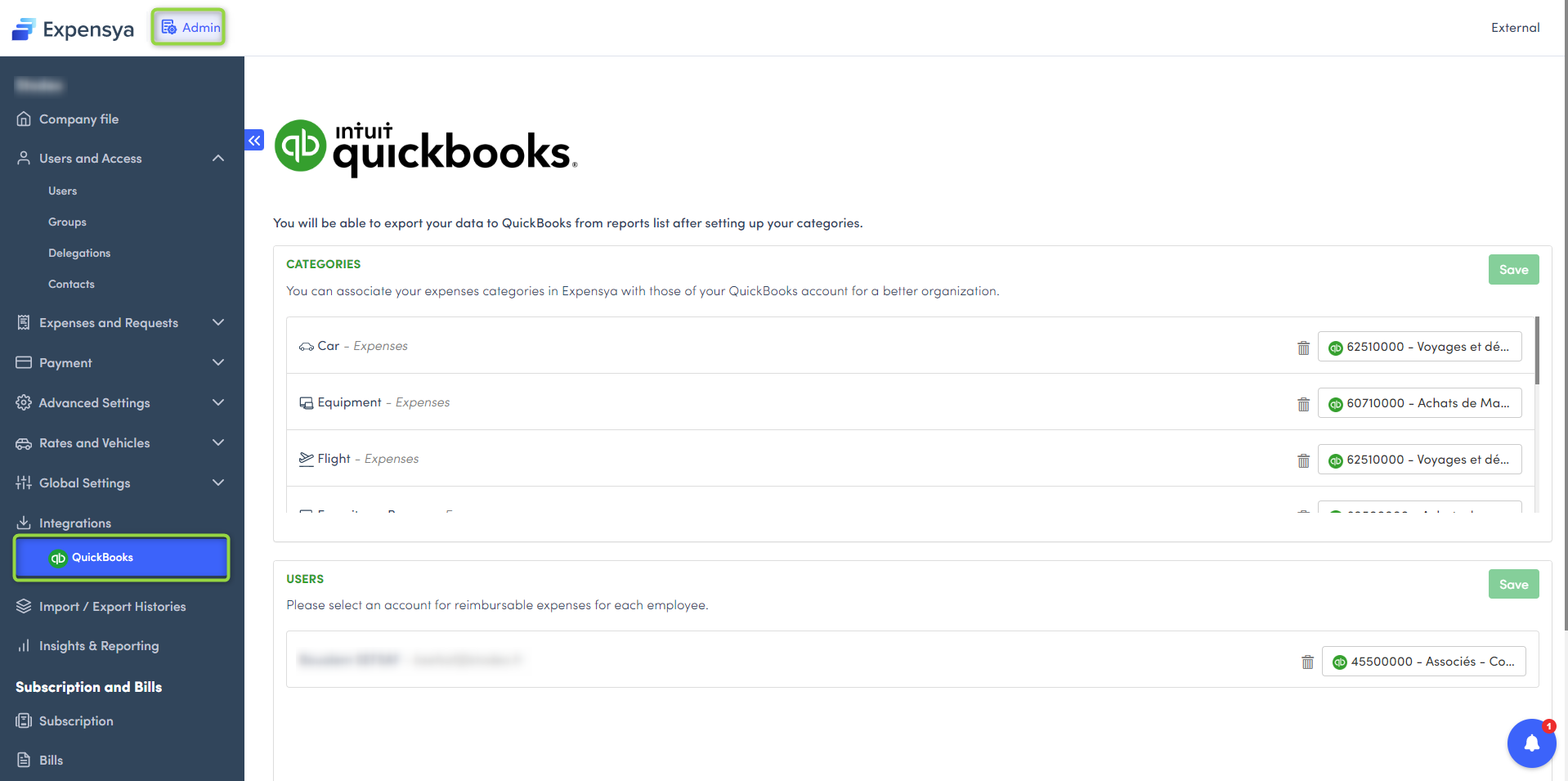
- Once the connection is established, you will be directed to the Quickbooks interface.
Was this article helpful?
That’s Great!
Thank you for your feedback
Sorry! We couldn't be helpful
Thank you for your feedback
Feedback sent
We appreciate your effort and will try to fix the article