Expensya offers you the possibility to manage multiple currencies:
- Expense currency.
- Employee's currency, used primarily for employees reimbursement.
- Tenant currency.
As an administrator, you can configure the display of expense amounts in either the employee's currency or the tenant's currency.
Note: The tenant's currency is the default currency displayed.
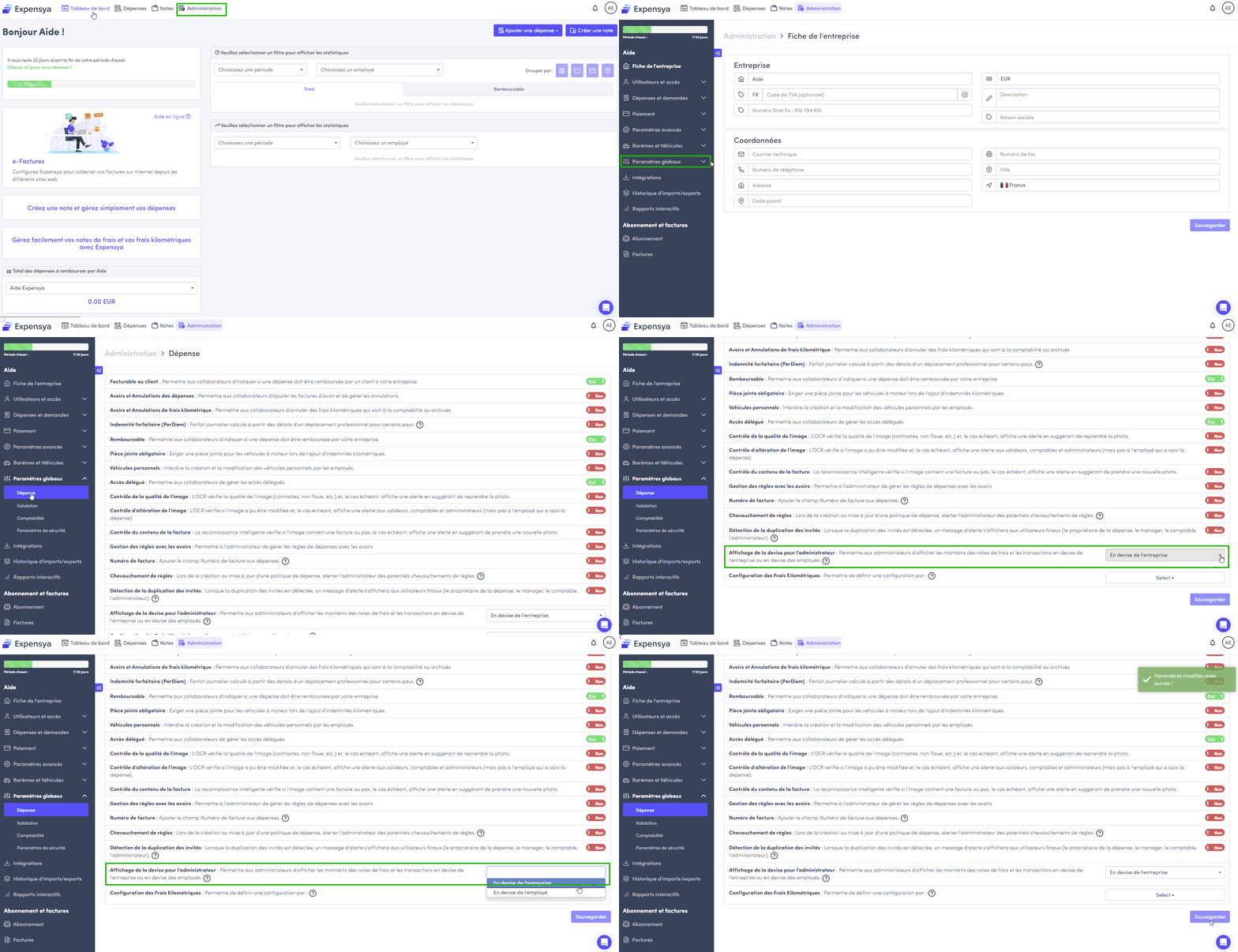
To configure the currency to use:
- Go to Admin and then select Global Settings.
- Access the Expense submenu.
- In the Currency Display for Administrator field, choose from the options In Tenant Currency or In Employee's Currency.
- Save the changes by clicking the Save button.
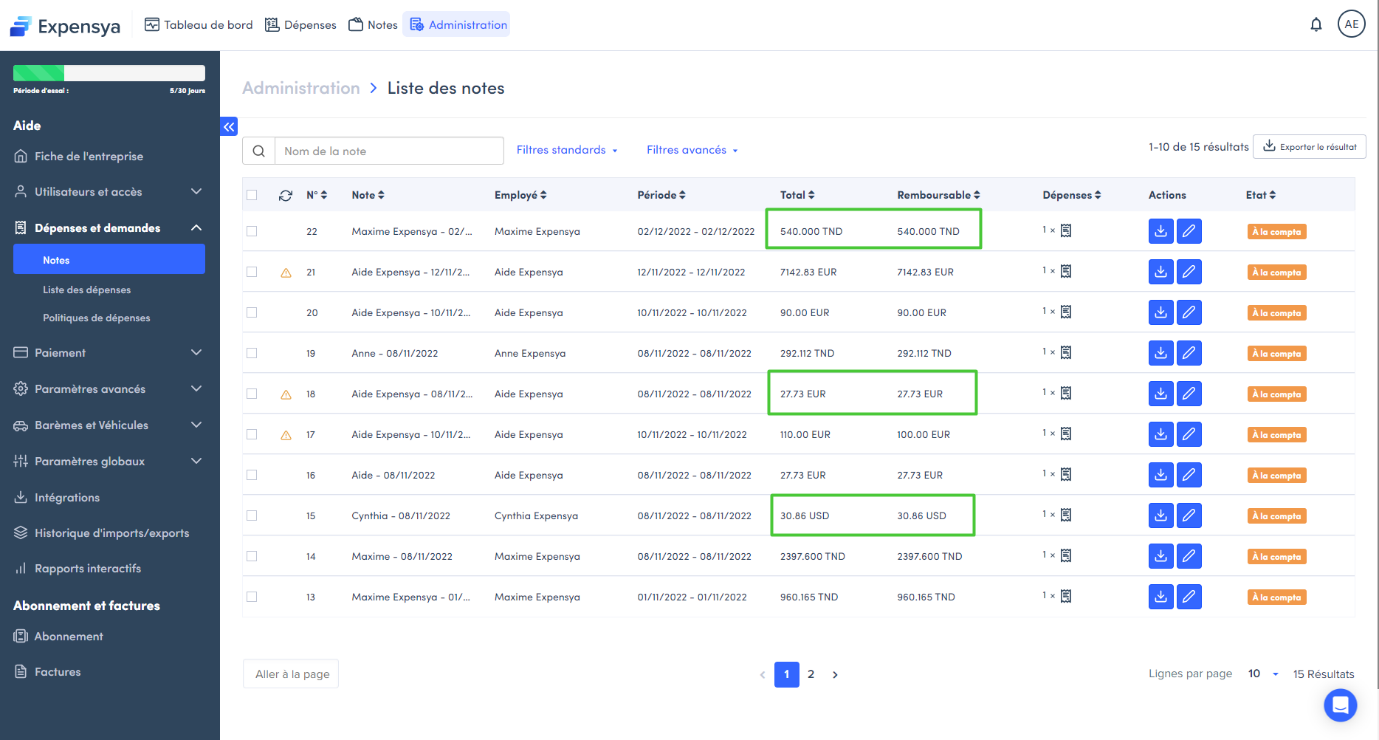
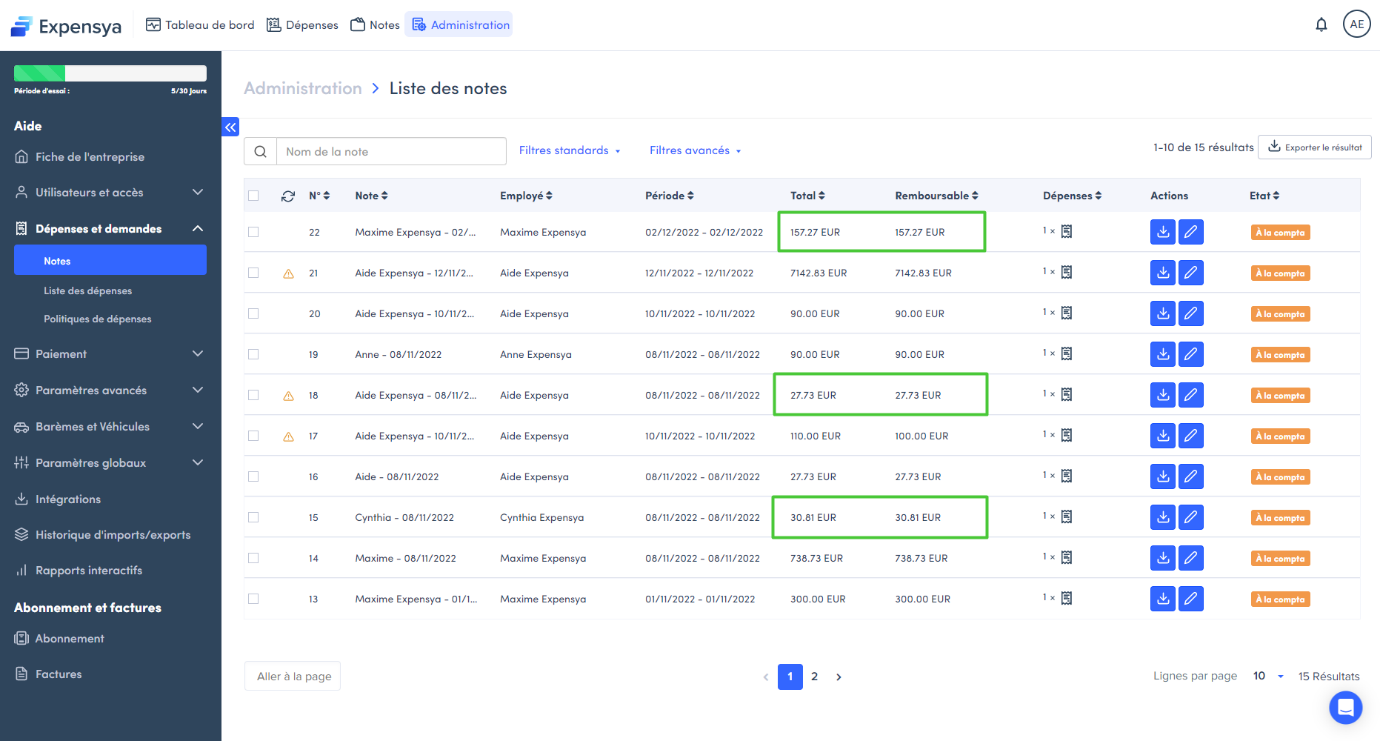
Display of Reports in employee's currency/ Tenant's currency:
- Reports displayed in the employee's currency.
- Reports displayed in the tenant currency.
Was this article helpful?
That’s Great!
Thank you for your feedback
Sorry! We couldn't be helpful
Thank you for your feedback
Feedback sent
We appreciate your effort and will try to fix the article