To efficiently manage expenses and facilitate their addition to user accounts, Expensya offers several travel integrations available from the administrator tab, allowing you to import travel expenses into the expense list using a CSV import file.
To activate a travel integration:
- Go to the Admin tab and select the Integration submenu.
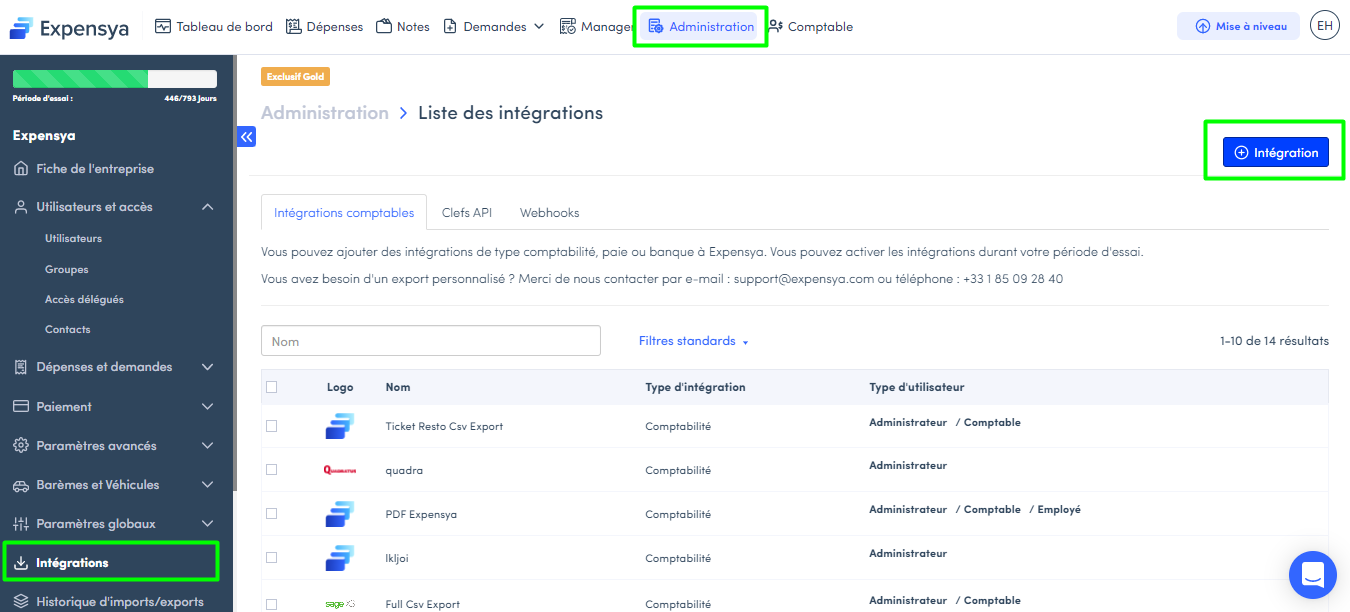
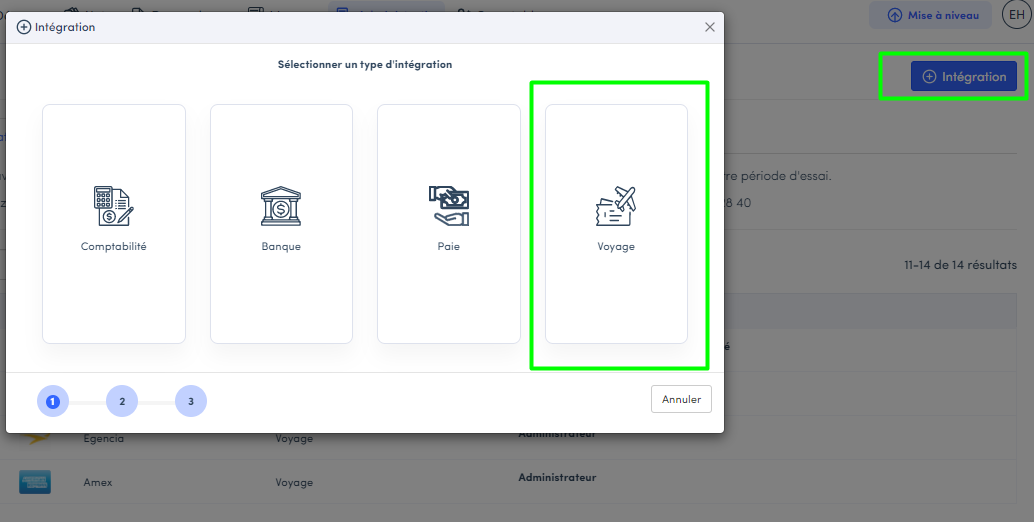
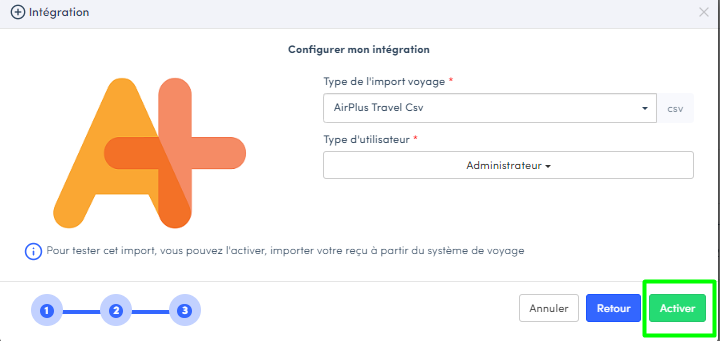
- Click on the +Integration button and choose the type of integration, which is Travel.
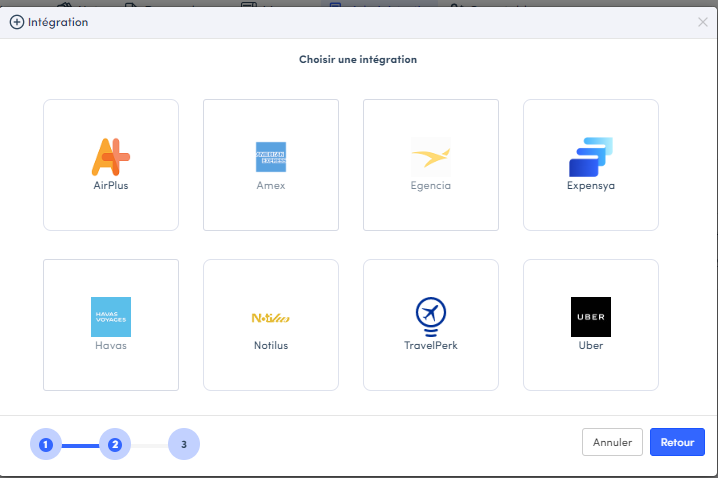
- Select the travel agency you want to activate from the list of available agencies.
- Choose the type of user who can use this travel integration (Administrator only or employees and administrators).
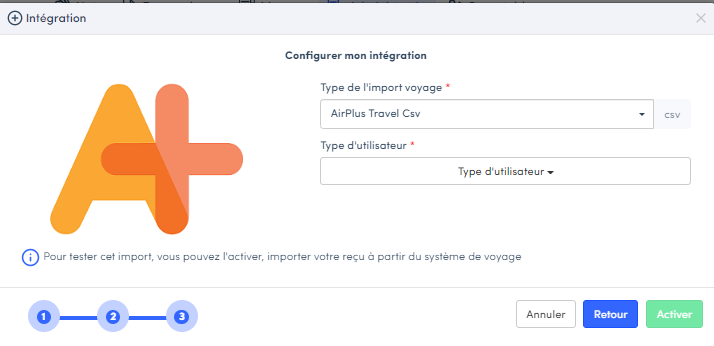
- Click the Activate button.
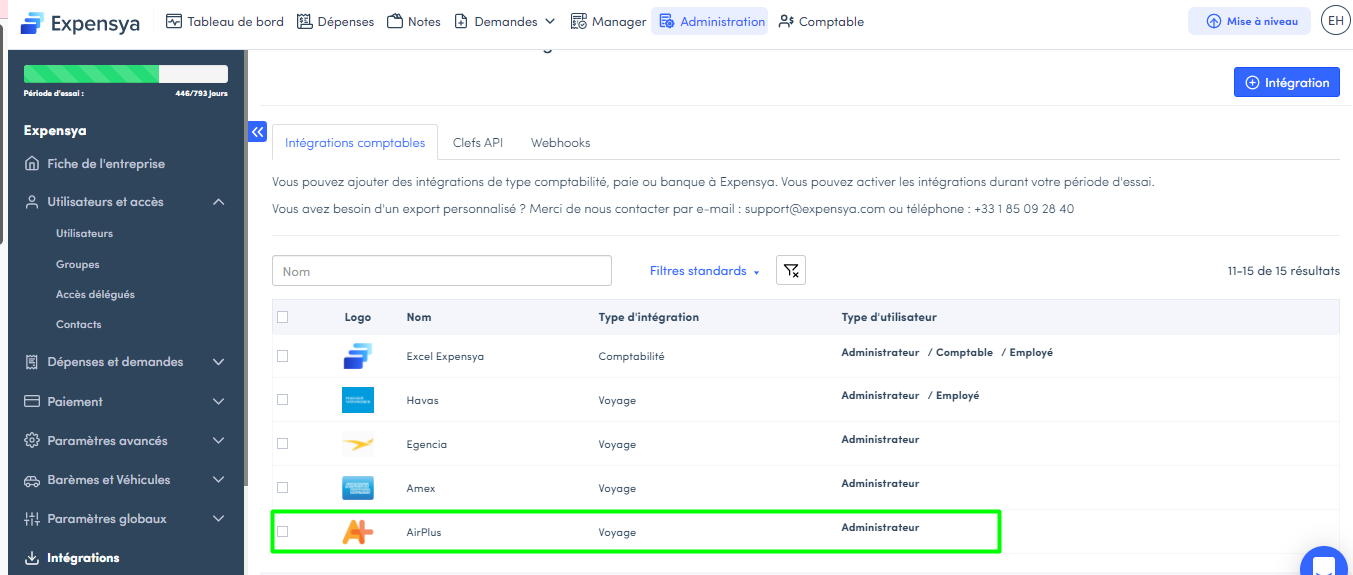
Once activated, you will see it in the list of integrations.
How to import travel expenses by the administrator:
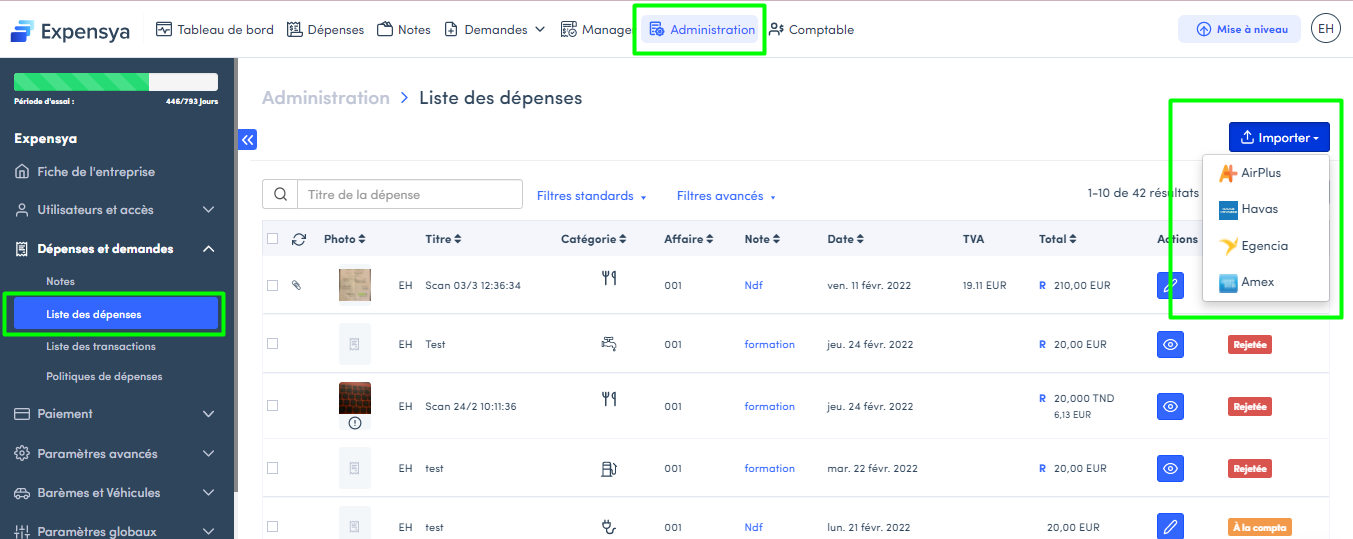
- The import is done from the Admin tab, under the Expenses and Requests submenu, in the Expense List panel.
- Click on Import and select the travel agency you have activated, then add the import file.
- Import the file from your list of files.
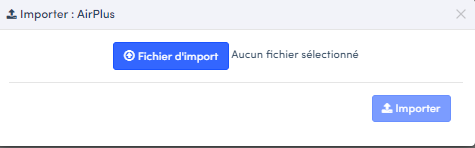
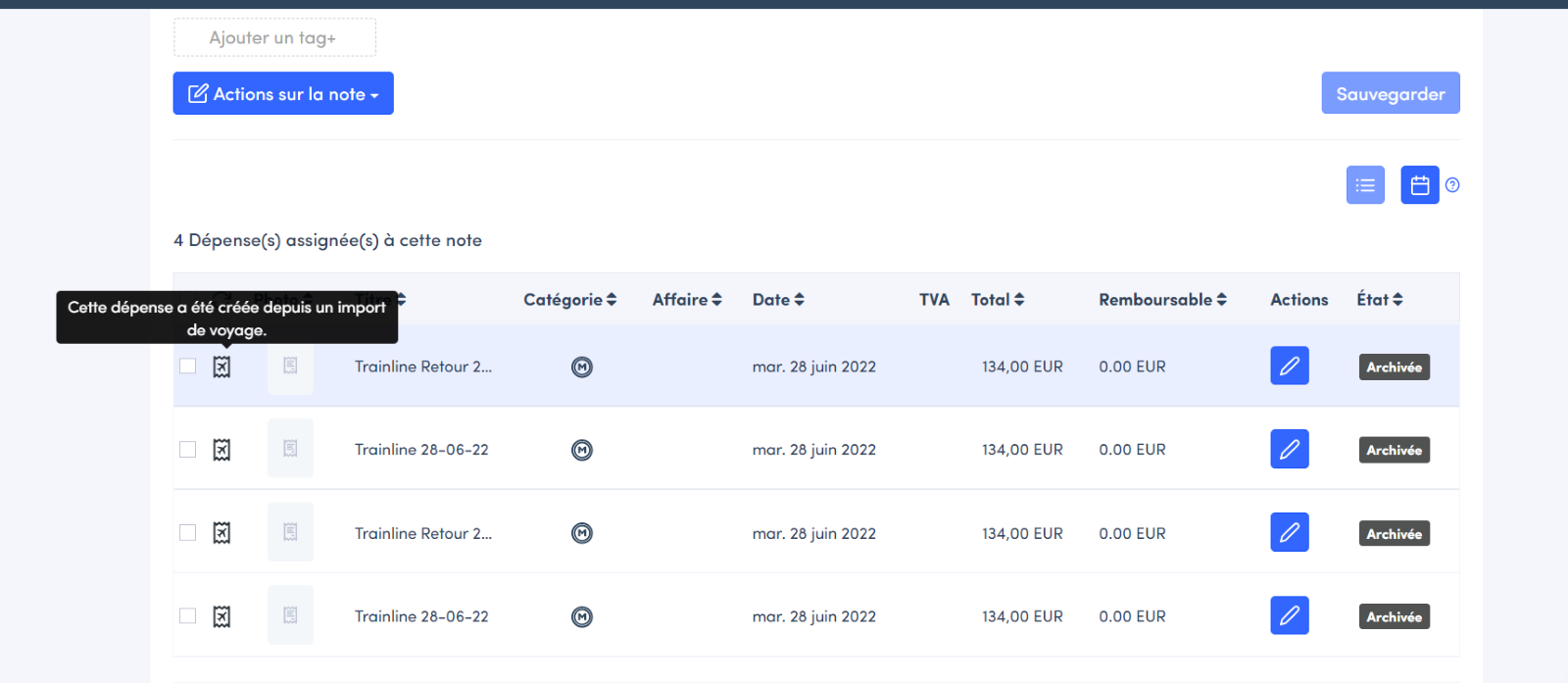
The added expenses will be displayed automatically after the import.
Was this article helpful?
That’s Great!
Thank you for your feedback
Sorry! We couldn't be helpful
Thank you for your feedback
Feedback sent
We appreciate your effort and will try to fix the article