Thanks to the native integration between Expensya & TravelPerk, it is now possible to retrieve invoices for travel services from the TravelPerk platform and integrate them into Expensya as expenses.
The recovery of these invoices is automated and seamless through an API integration.
The activation of the integration between Expensya & TravelPerk is possible from both platforms: TravelPerk or Expensya.
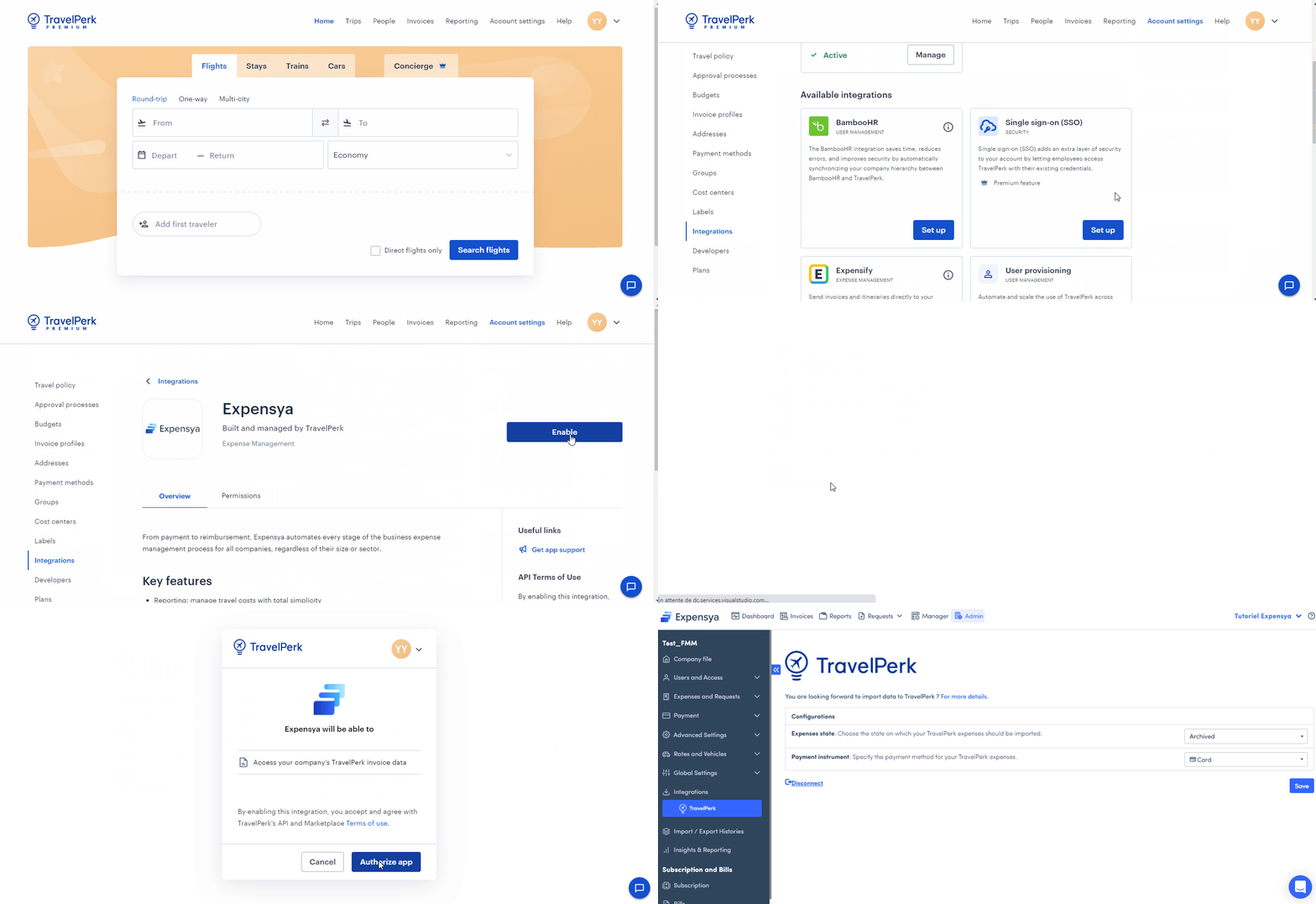
Activation of the integration from TravelPerk:
To activate the integration from TravelPerk, simply:
- Log in as an administrator on the TravelPerk platform
- Click on the Tenant settings tab then Integration menu
- Select the Expensya integration then click on Set Up
- Activate the integration of Expensya
- Redirection to Expensya to approve the integration
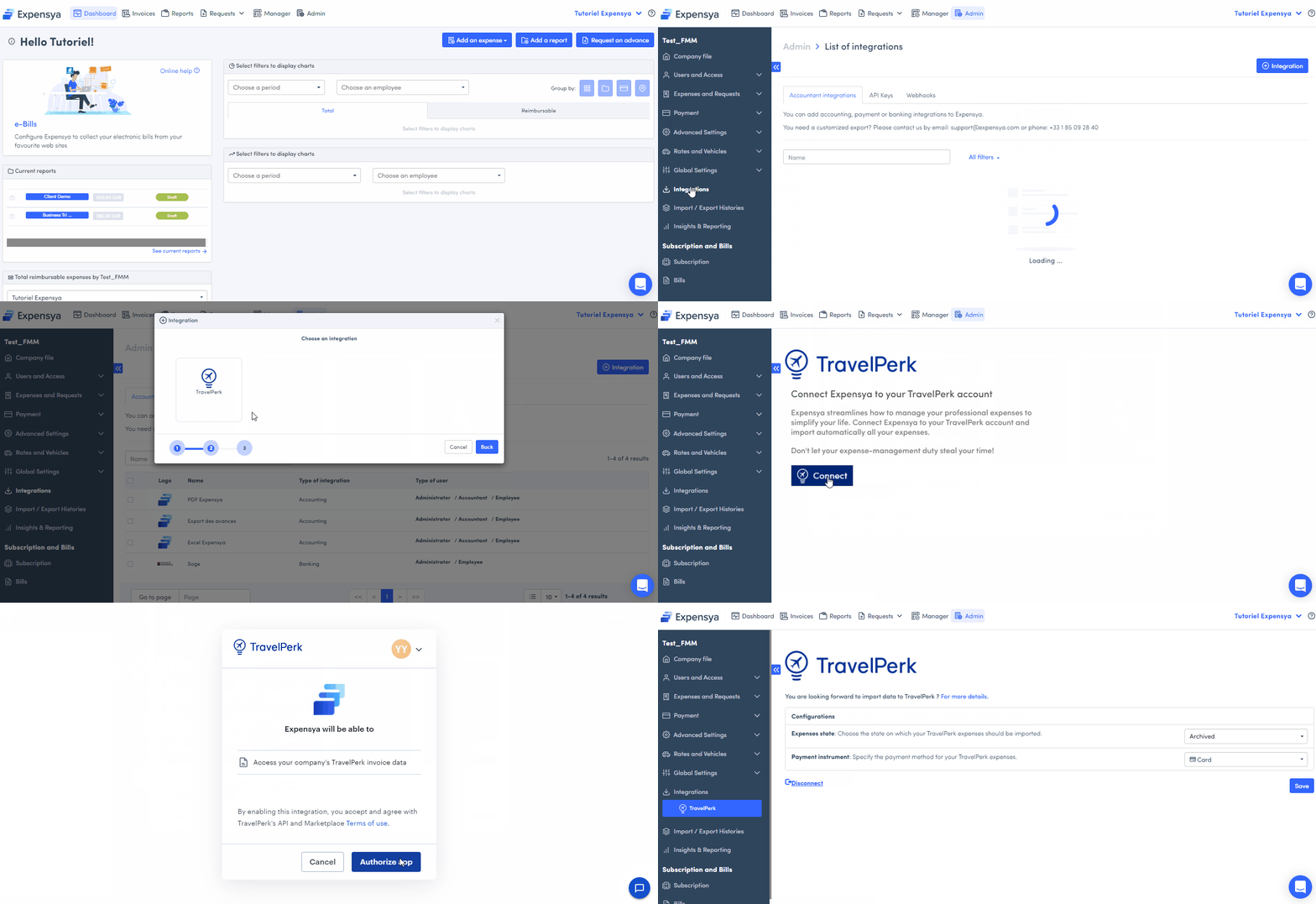
Activation of the integration from Expensya:
To add it, the administrator must:
- Go to the Integration tab in the admin panel and click on Add an integration
- In the marketplace, select the Travel category,
- Select TravelPerk from the list of available integrations
- Click on Connect
- Approve data sharing by clicking on Authorize App
Configuration of the TravelPerk-Expensya Integration
After activating the integration, you need to configure it in order to personalize its settings.
The configurable settings are the following:
- The state under which the expenses will be imported.
- The payment method for travelperk expenses.
More details on configuring and collecting expenses on the following article:
Was this article helpful?
That’s Great!
Thank you for your feedback
Sorry! We couldn't be helpful
Thank you for your feedback
Feedback sent
We appreciate your effort and will try to fix the article