An administrator can change the tenant settings on Expensya from the website.
Through the Admin tab, under Global Settings on the sidebar menu you'll find:
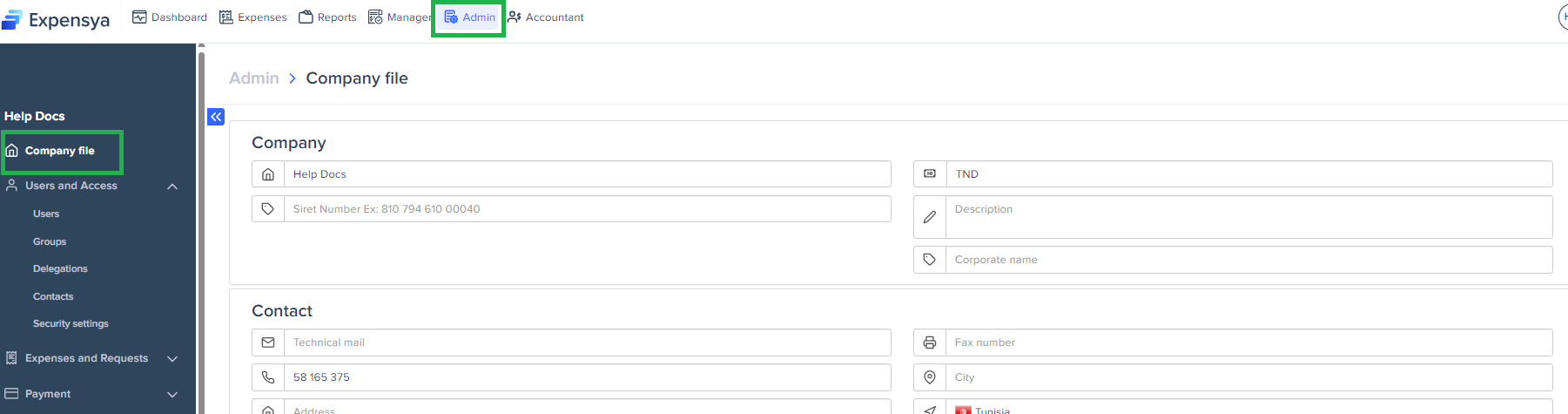
- Your tenant's general information:
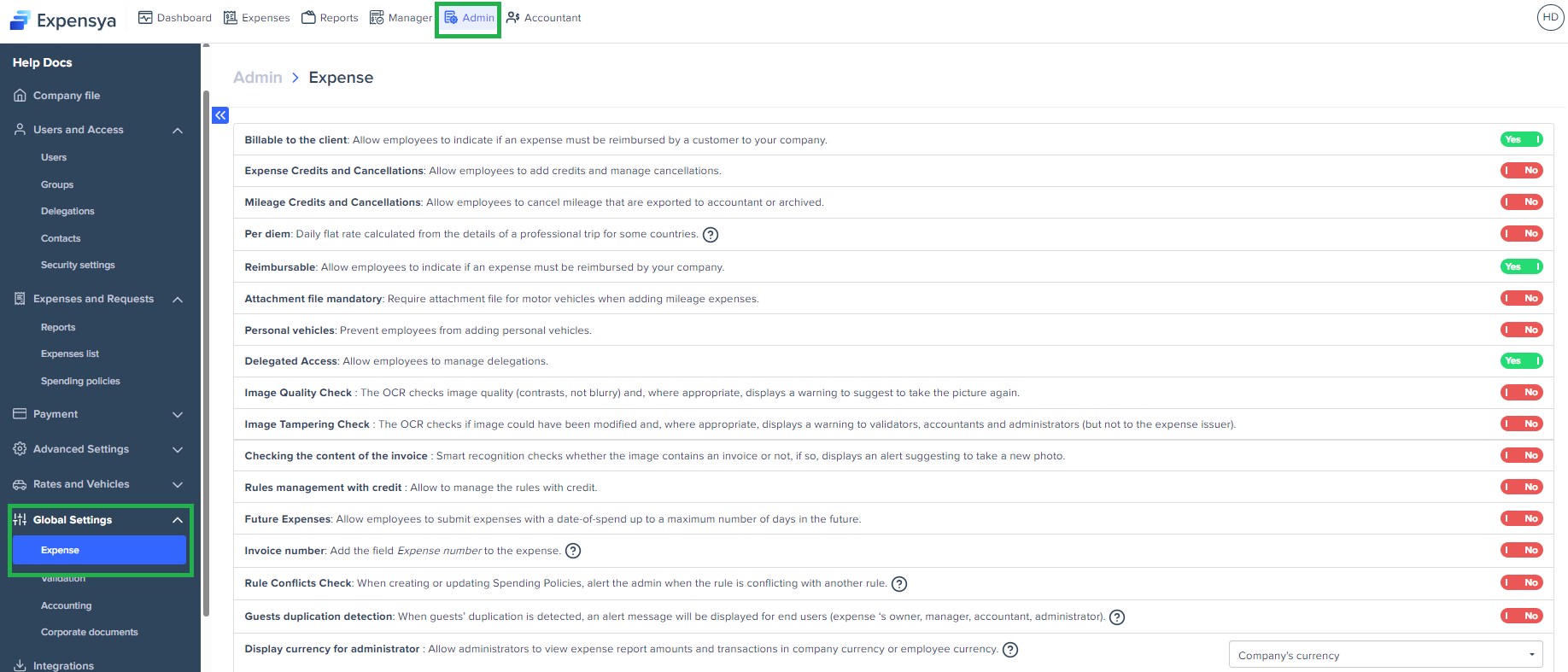
- Customizable expenses settings:
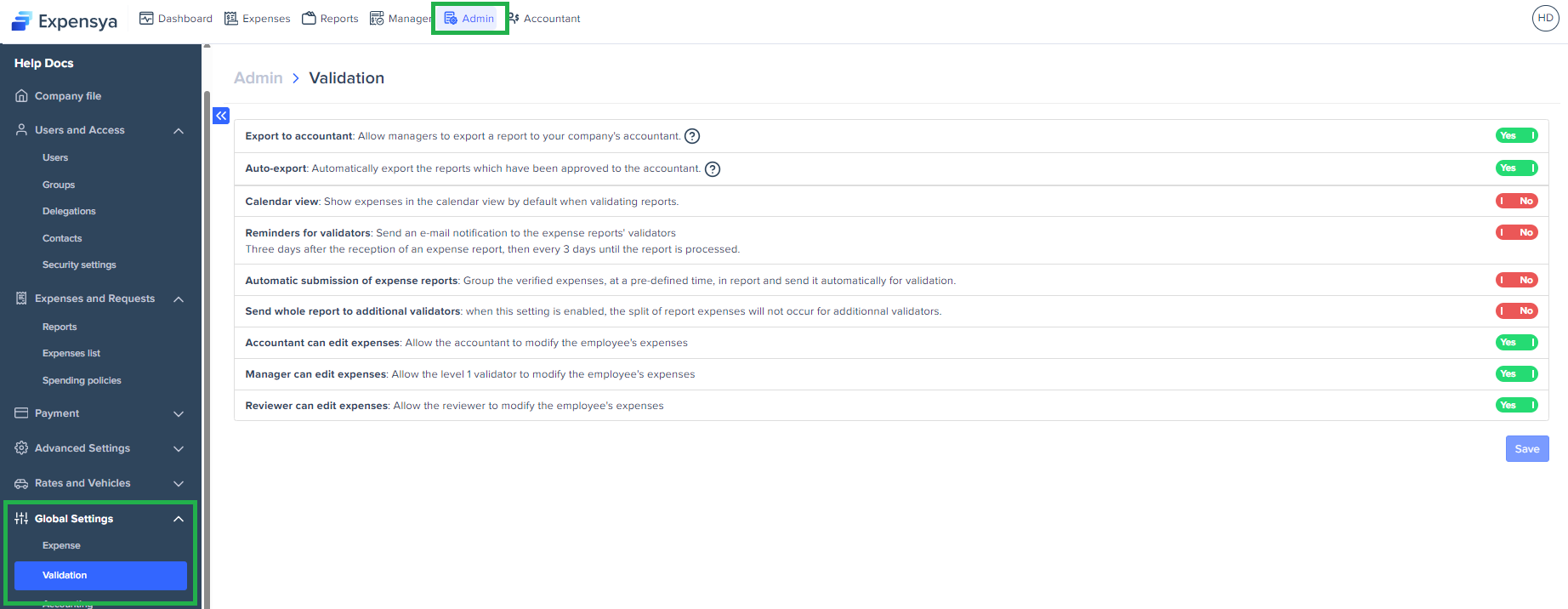
- General approval settings:
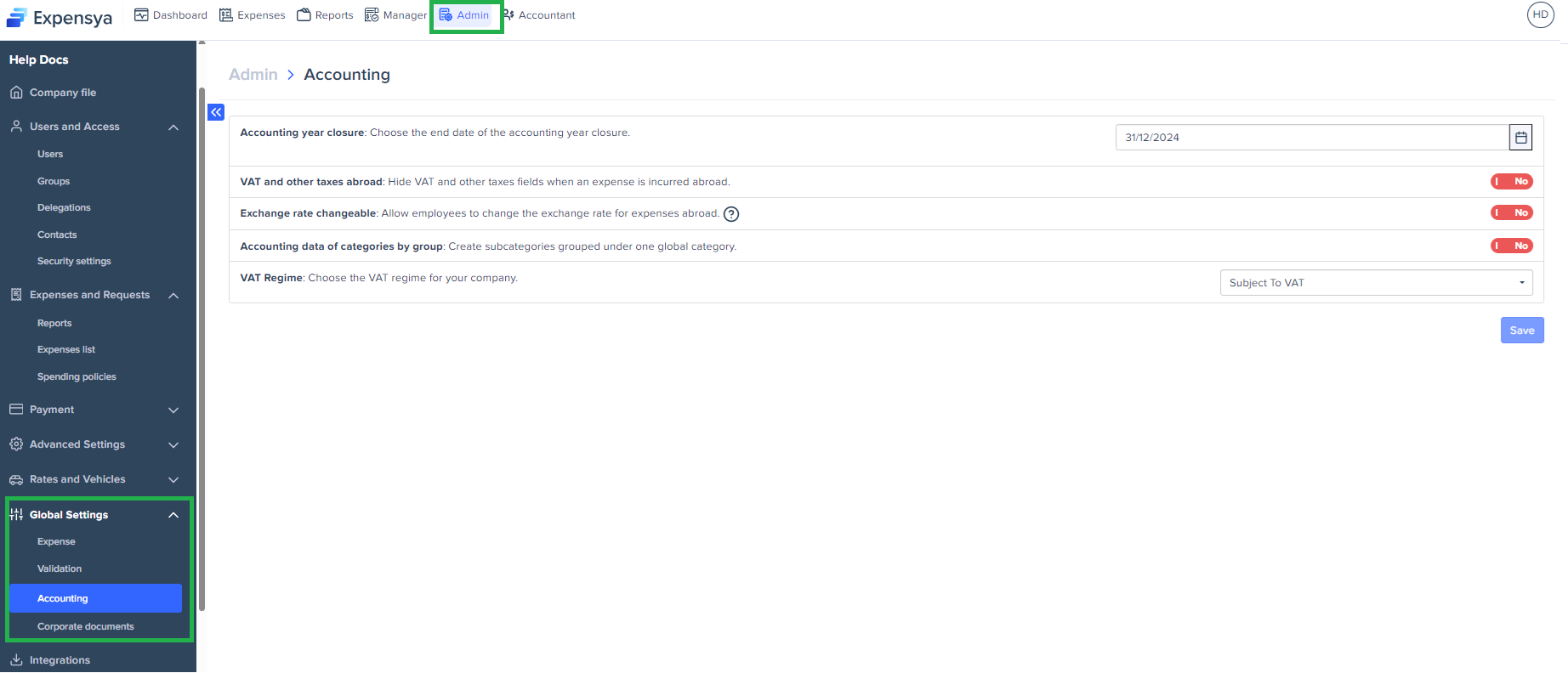
- Accounting settings:
Was this article helpful?
That’s Great!
Thank you for your feedback
Sorry! We couldn't be helpful
Thank you for your feedback
Feedback sent
We appreciate your effort and will try to fix the article