As an administrator, you can manage delegated access for user accounts from the web version.
For it:
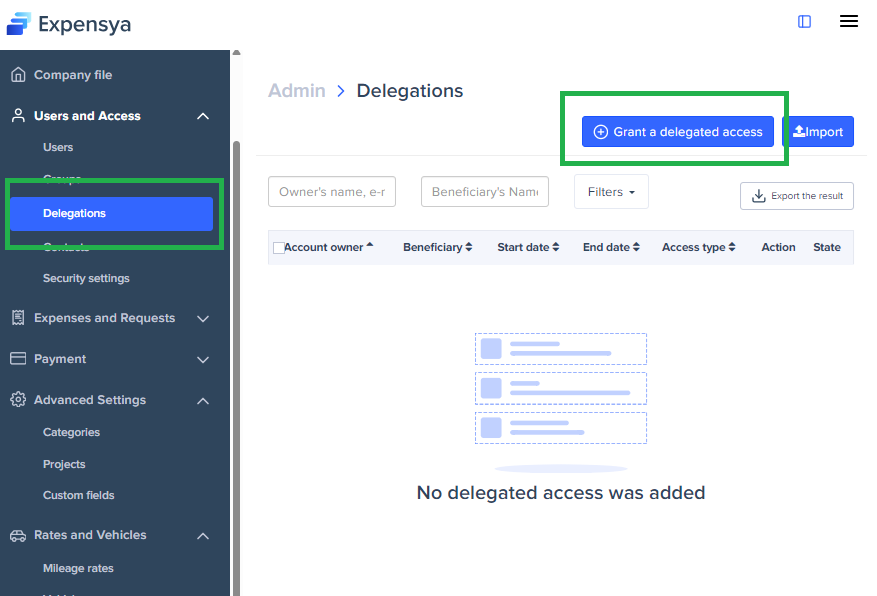
- Go to Admin, then Users and Access
- Click on Delegations
- Then click on + Grant a delegated access.
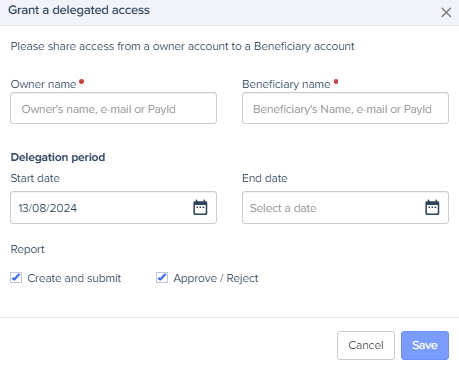
- Enter the name of the account owner and beneficiary as well as the type of access:
- Adding and sending expenses: the beneficiary can enter and send the expense reports instead of the owner
- Approval of expenses: the beneficiary can approve the notes instead of the owner.
- Save
Modify delegate access
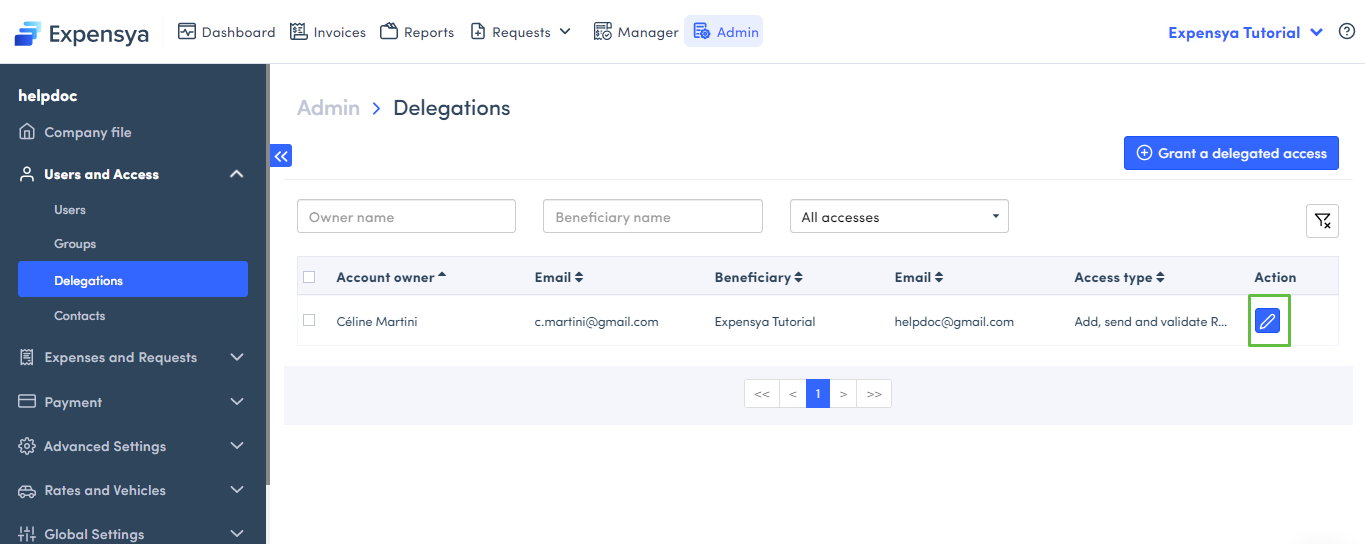
- Go to Admin, then Users and access
- Click on Delegations
- Then on the pen icon to modify
Remove delegate access
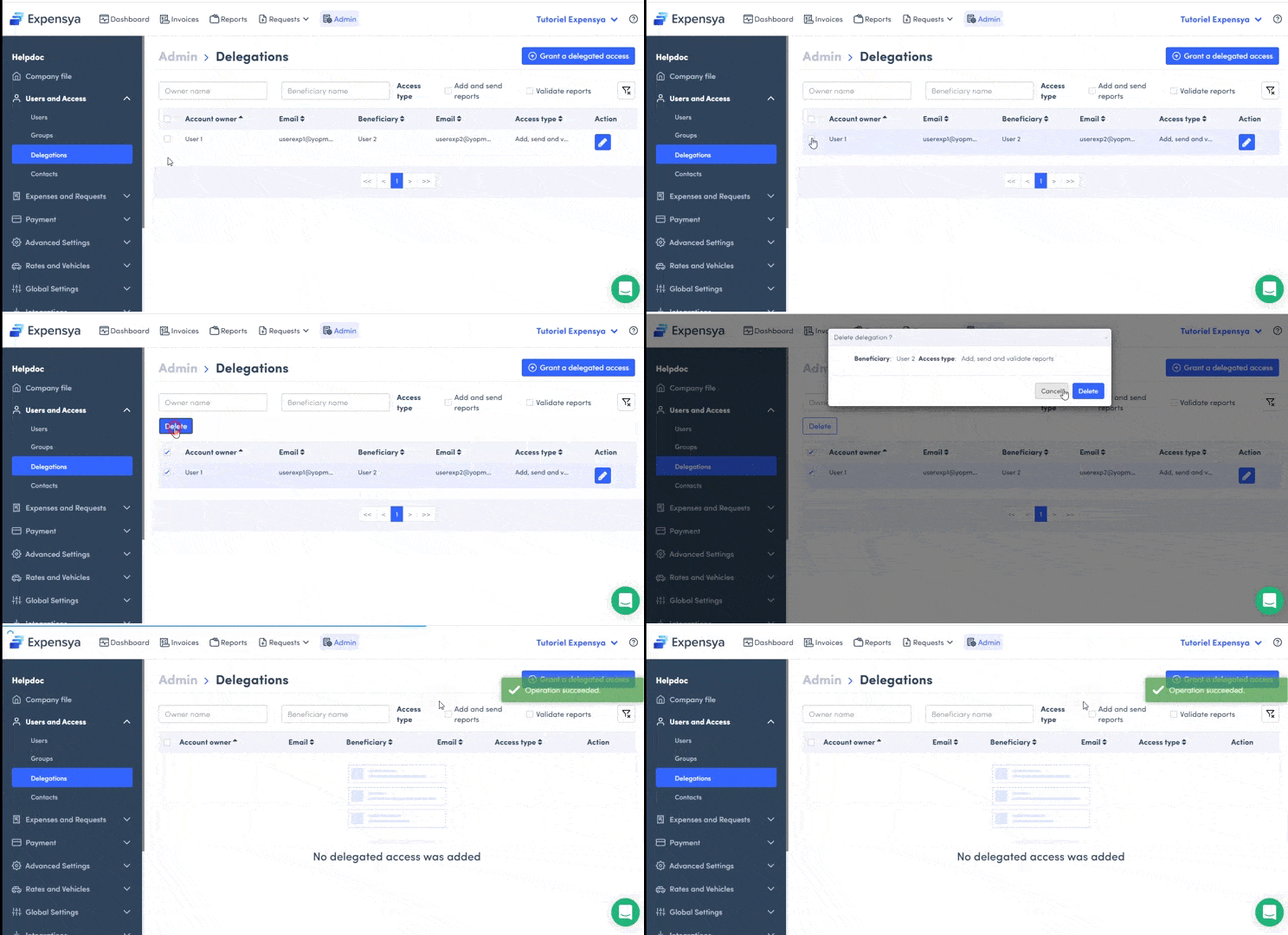
- Go to Admin, then Users and access
- Click on Delegations
- Select the delegate access to remove
- Then click on Remove
Was this article helpful?
That’s Great!
Thank you for your feedback
Sorry! We couldn't be helpful
Thank you for your feedback
Feedback sent
We appreciate your effort and will try to fix the article