As an admin on Expensya, you can activate a bank integration from the website to import your bank card statement.
For that :
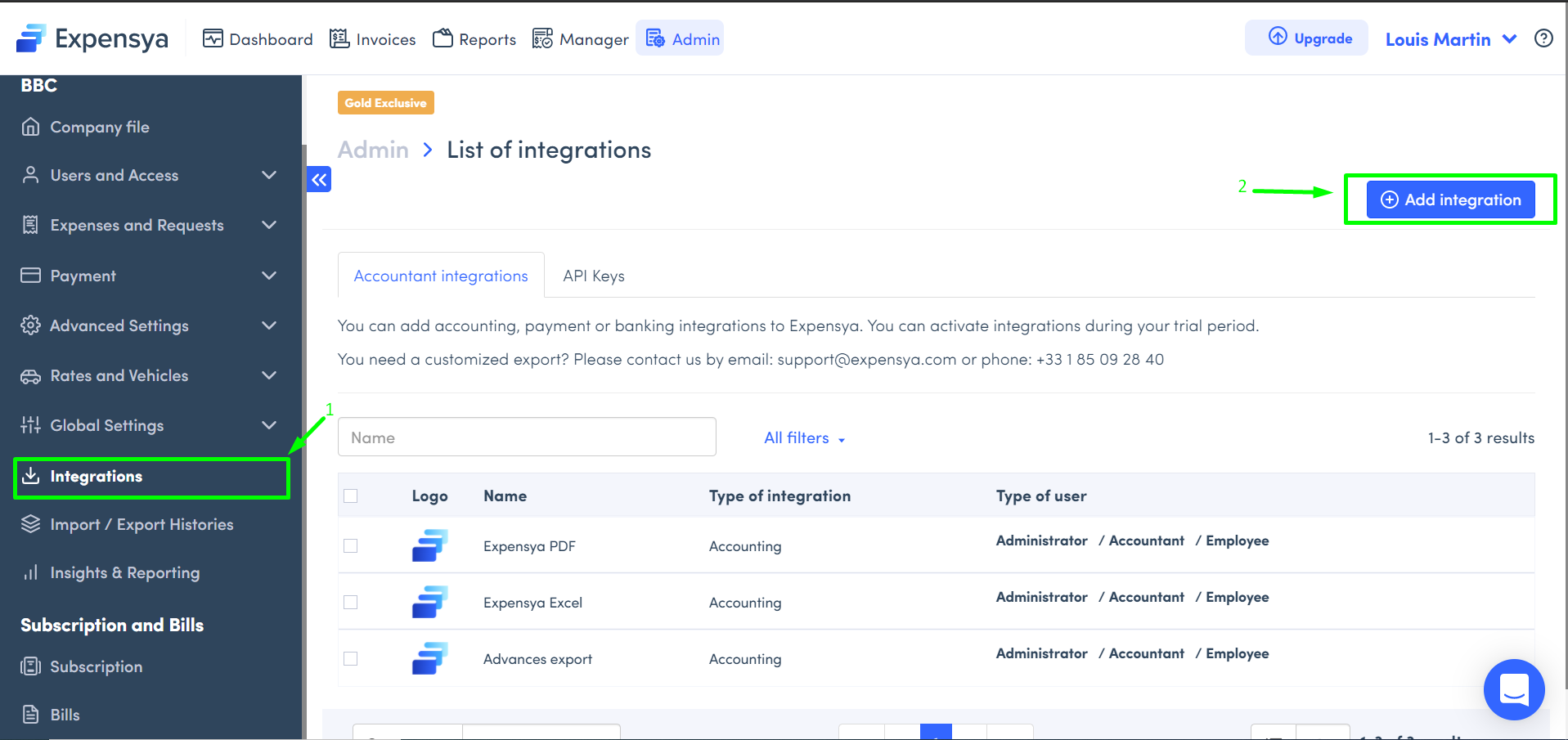
- Go to the Administration tab, Integrations submenu,
- Click on the Add integration
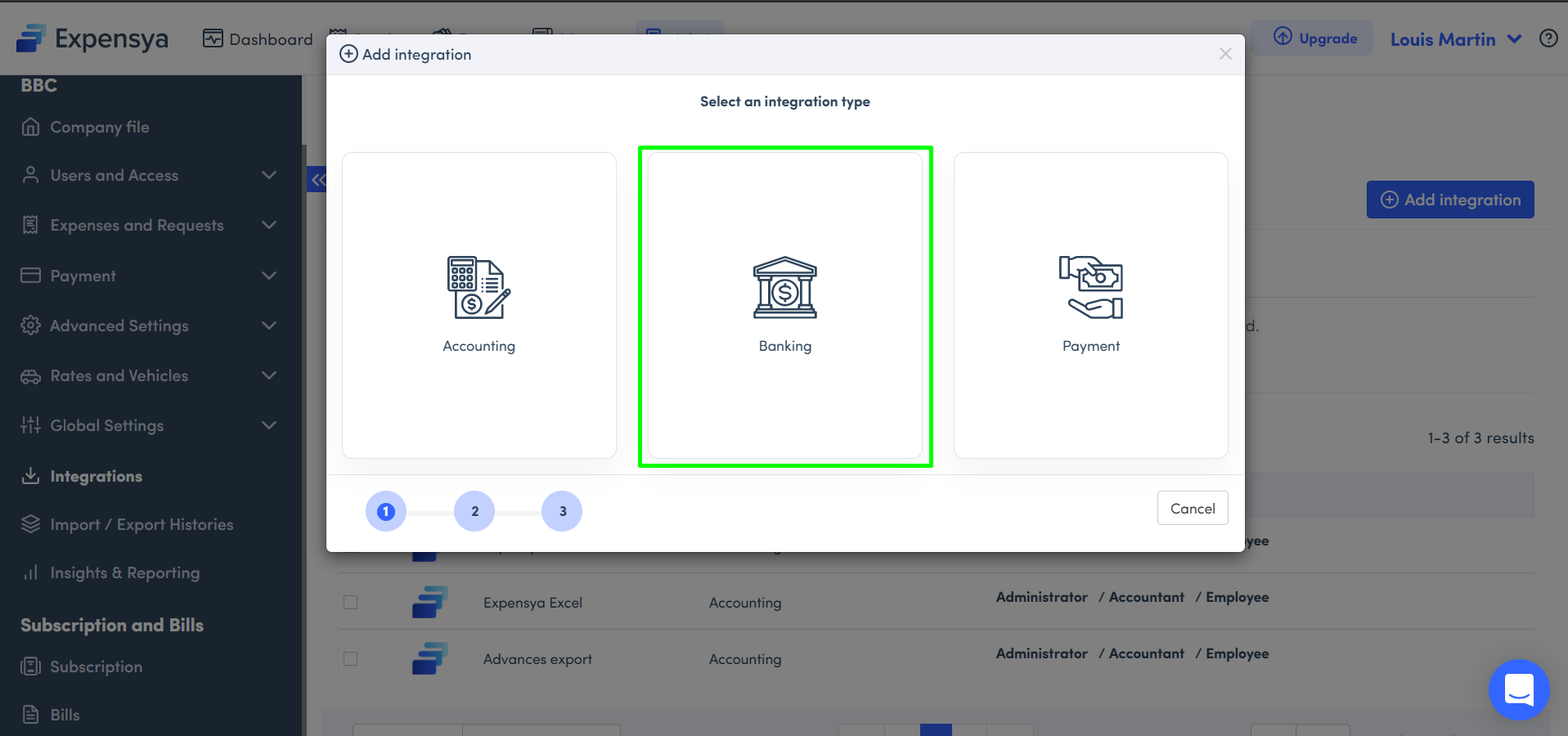
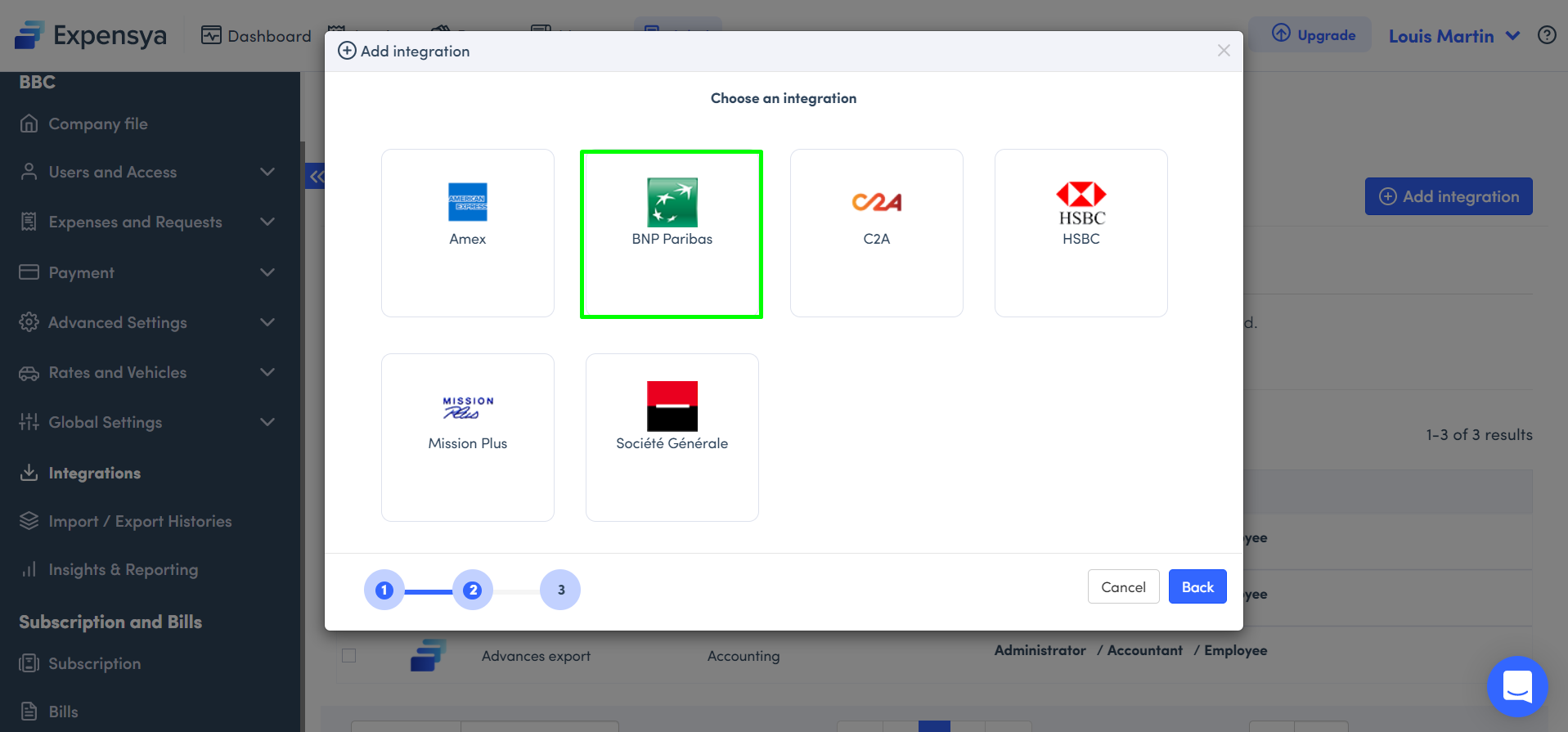
- Select Banking, pick your bank, and Activate
Note: Make sure the format you are importing matches Expensya's template!
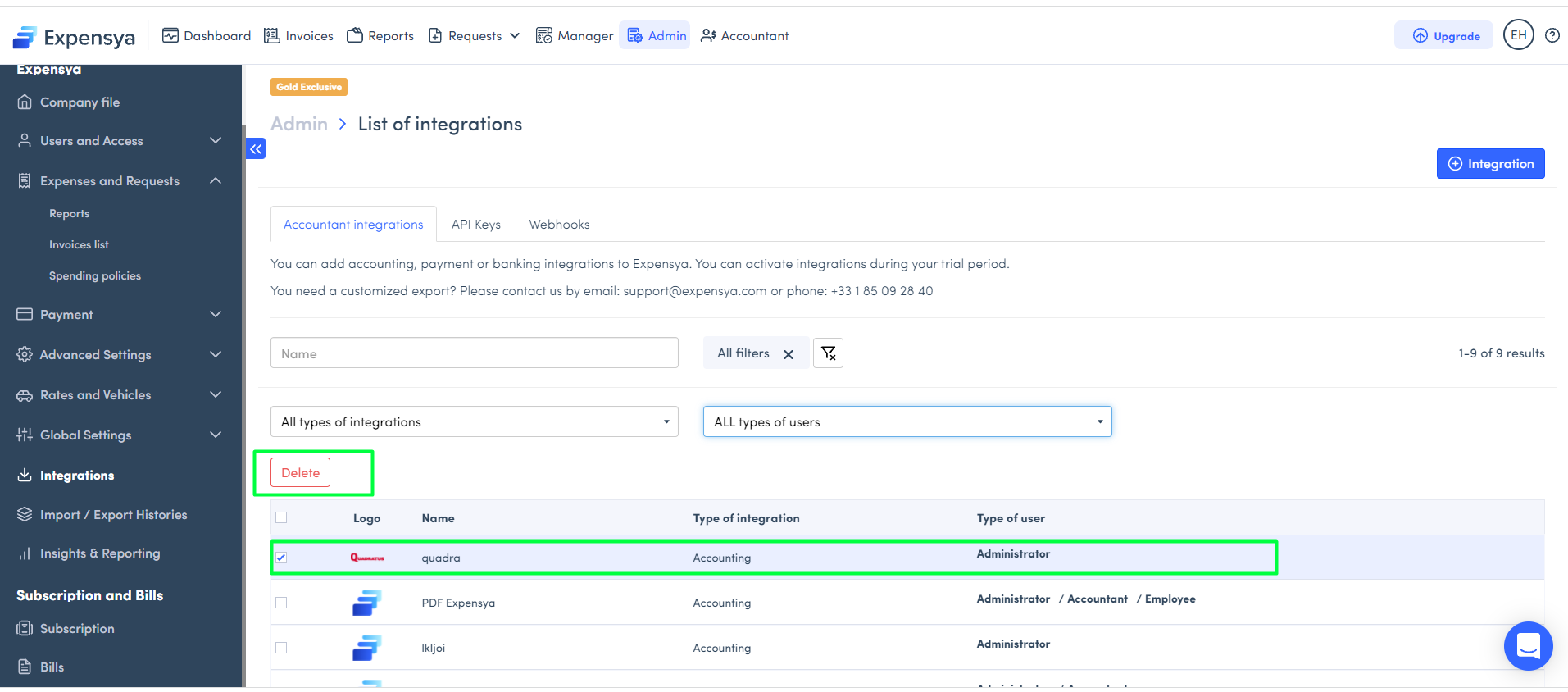
To deactivate a bank integration:
- Select the bank integration you want to deactivate,
- Click on the Delete button.
Was this article helpful?
That’s Great!
Thank you for your feedback
Sorry! We couldn't be helpful
Thank you for your feedback
Feedback sent
We appreciate your effort and will try to fix the article