Expensya allows you to export your reports under several export formats from the Integrations submenu.
Note: Only an administrator can activate these export formats from the website.
To do so:
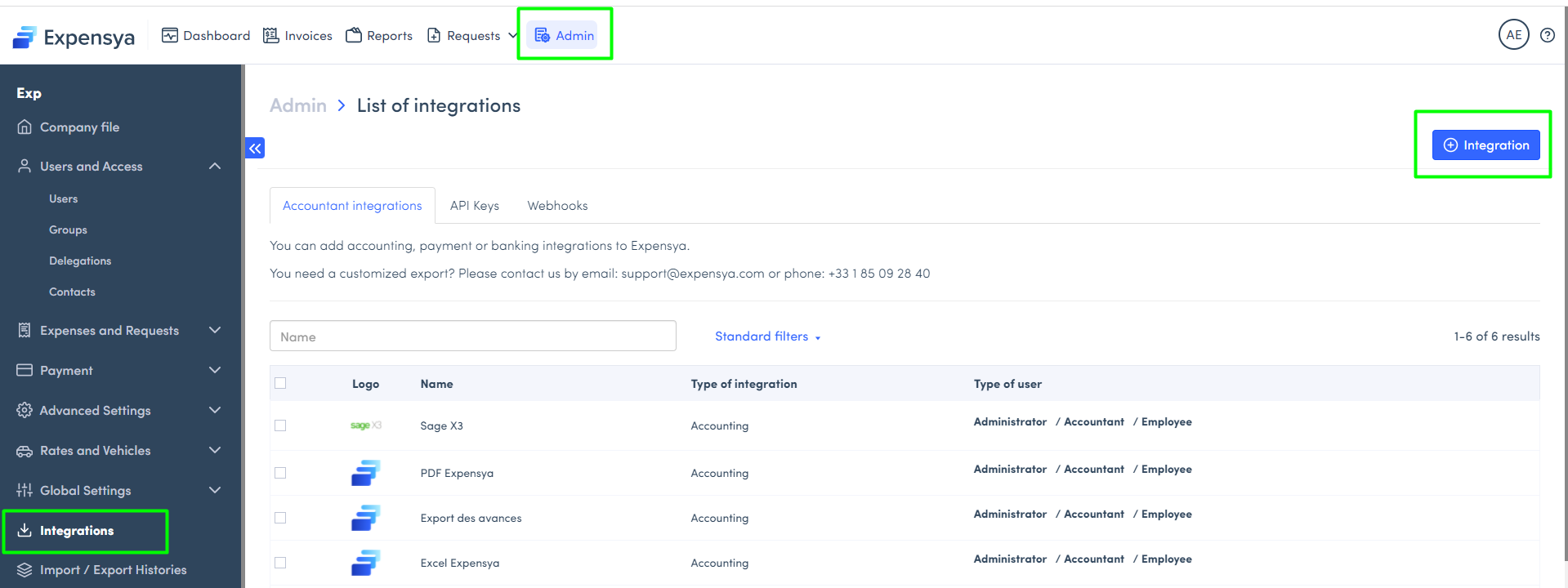
- From the Administration tab, click on the Integrations submenu.
- Then, Click on the + Integration button.
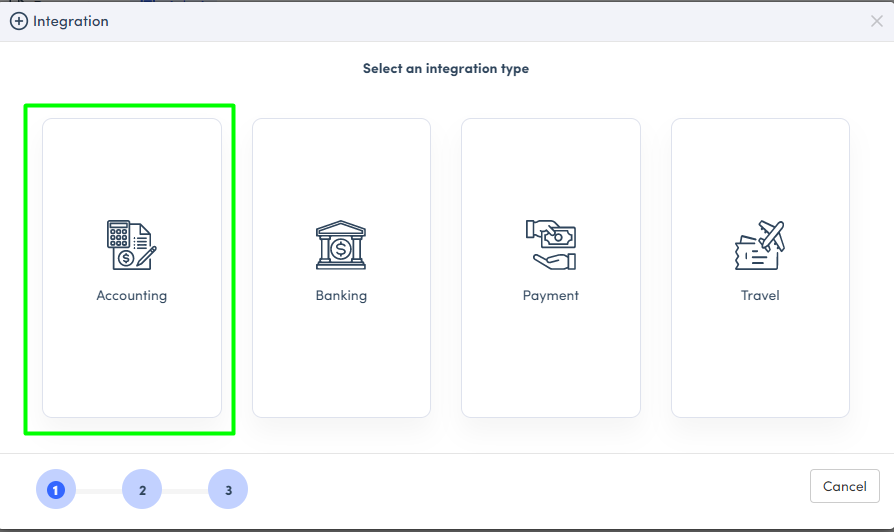
- Choose the Accounting category.
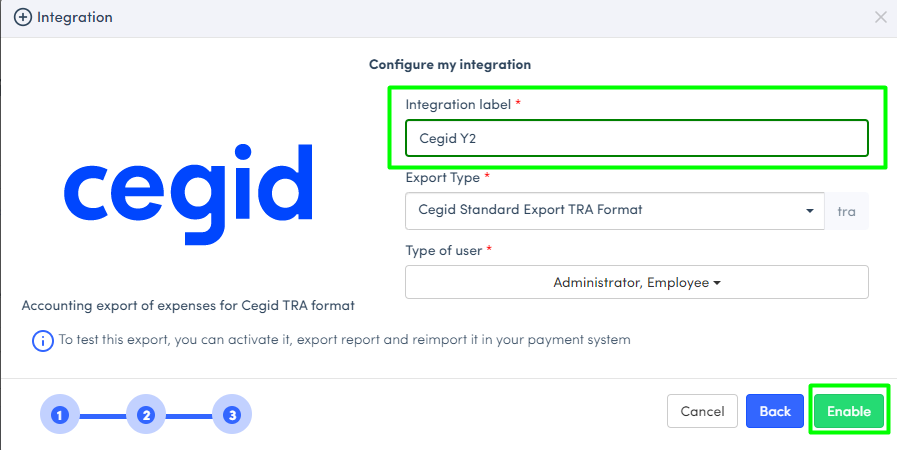
- Choose from the list the export format you want to enable.
- Put a name for your export in the field Integration label.
- Indicate the types of users who can use this export and activate the desired export format.
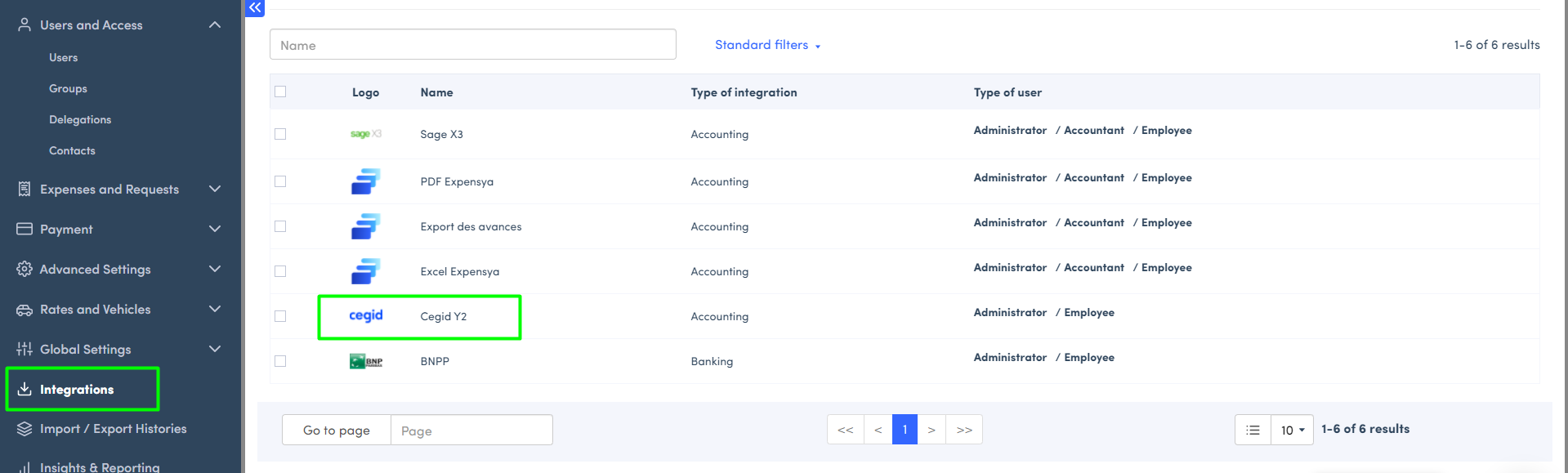
This selected export will be added to your integrations list once it is activated.
How to desactivate an export format?
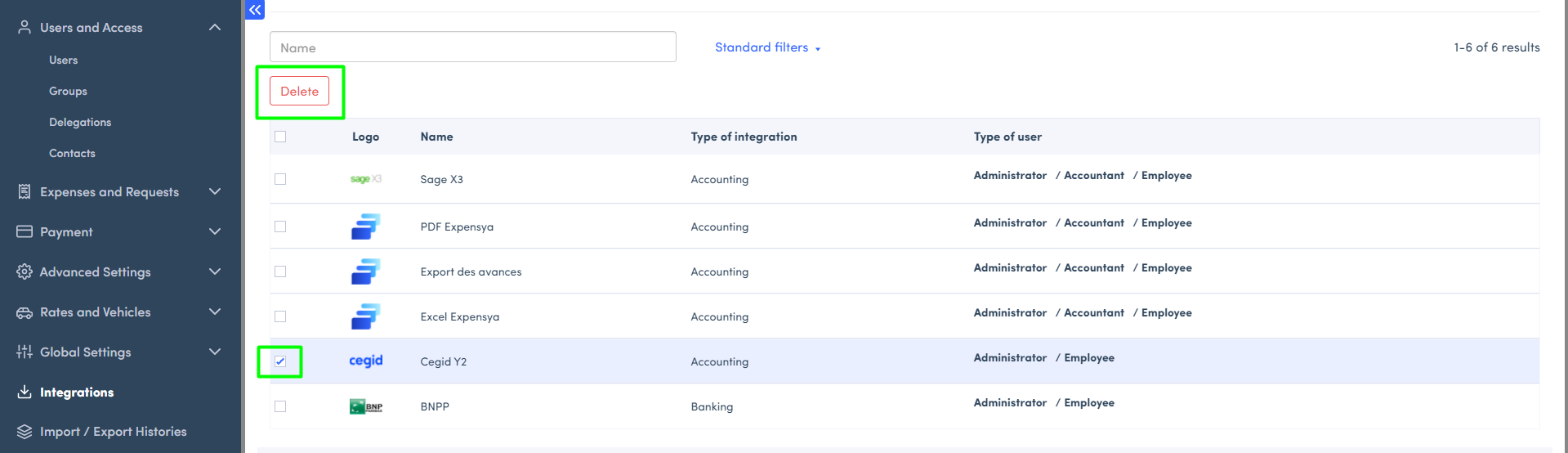
From the list, tick the export you want to desactivate, then click on Delete.
Was this article helpful?
That’s Great!
Thank you for your feedback
Sorry! We couldn't be helpful
Thank you for your feedback
Feedback sent
We appreciate your effort and will try to fix the article